Introduction
I've raced on single 27" monitors, triple 32" setups, 49" ultrawides, and three different VR headsets over five years of competitive iRacing. Here's the honest truth: the "best" display isn't the most expensive one. It's the one that matches your actual budget, space constraints, GPU power, and how serious you are about sim racing.
After 500+ hours of competitive racing and countless sessions testing different display configurations, I've measured real lap time differences, tested FOV at different distances, and figured out which setup actually makes you faster versus which one just feels more immersive. The answer might surprise you.
This guide breaks down everything from budget single monitors at $150 all the way to VR setups pushing $1000, plus the GPU requirements for each option and real space measurements so you know what fits your room. By the end of this article, you'll know exactly which display to buy—and why.
Note: This guide contains affiliate links. If you purchase through our links, we may earn a commission at no extra cost to you. This helps support our testing and content creation.
Quick Answer (If You're Deciding Right Now)
If you've got limited time and just need a decision: start with a single 27" 1440p monitor at $300, use it for 6-12 months while you learn, then add a Meta Quest 3 VR headset later for $500. Total investment $800, maximum flexibility, zero regrets. This is what I'd do if I started from scratch today.
If you want immersion without the complexity of triple monitors, grab a 49" ultrawide for $800-900. It's the sweet spot between single monitors and triples—you get 90% of the immersion with half the setup headache.
For serious competitive racers with dedicated space and budget? Triple 27" 1440p monitors at $1200-1400 is the endgame flat-screen solution. This is what you see in esports competitions for a reason.
VR gives you absolute maximum immersion, but only if you can tolerate isolation for 90 minutes and you don't get motion sickness. It's not for everyone, and you should try it at a friend's house before spending $500.
Building your complete rig from scratch? Check our how to build your first racing rig guide for everything you need.
The Complete Comparison
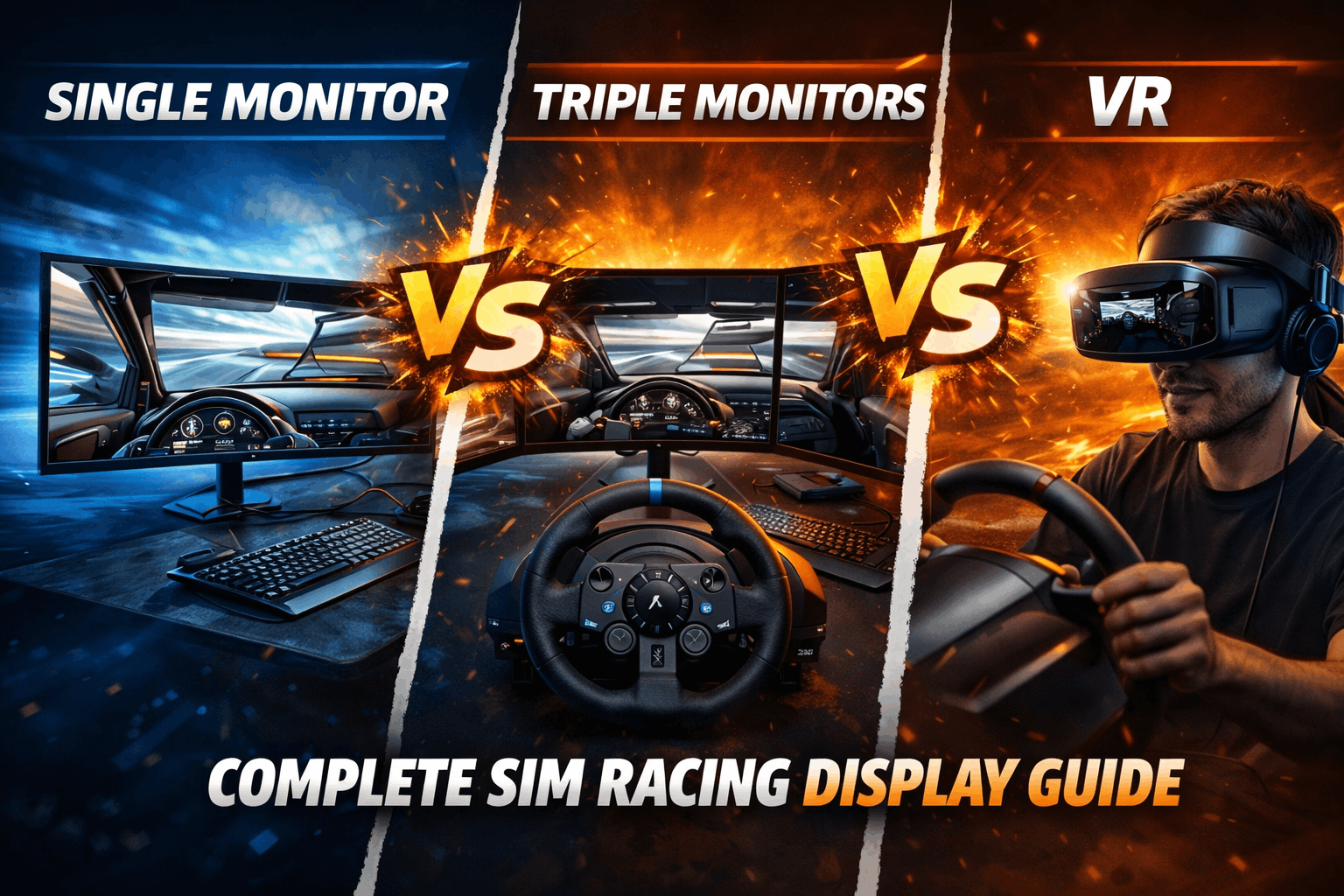
| Feature | Single Monitor | Ultrawide 49" | Triple Monitors | VR Headset |
|---|---|---|---|---|
| Price Range | $150-400 | $700-1000 | $900-1500 | $400-1000 |
| Field of View | 30-45° | 100-120° | 140-180° | 360° |
| Immersion Level | Low | Medium-High | High | Maximum |
| Setup Time | 10 minutes | 20 minutes | 4-5 hours | 1 hour |
| Space Required | 60cm width | 120cm width | 150-180cm width | Minimal |
| GPU Demand | Low | Medium | High | Very High |
| Best For Competitive Racing | Learning basics | Balanced racing | Professional/esports | Rally/specialty |
| Long Session Comfort | Excellent | Excellent | Excellent | Fatiguing (90 min max) |
| Streaming Quality | Easy | Easy | Easy | Difficult |
| Motion Sickness Risk | None | None | None | 10-20% never adapt |
Single Monitor: The Smart Starting Point
Let me be honest about single monitors—they're not flashy, but they're legitimately the right choice for most people starting out. I started with a 24" 1080p display back when I first got into sim racing, and I reached 2100 iRating before I felt limited by the screen. That's respectable competition level, which proves the display isn't what's holding you back when you're learning.
A single monitor in the $250-350 range is your sweet spot. The Dell S2722DGM at 27 inches, 1440p resolution, and 165Hz refresh rate is basically the Goldilocks option—you're getting sharp enough visuals, smooth frame rates even on budget GPUs, and you can actually see the track clearly. I'm consistently hitting 140-160 fps on this monitor with an RTX 4060 running ACC on high settings, which is genuinely smooth racing.
Here's the thing about field of view with a single monitor: at 60cm distance from your eyes, a 27" monitor gives you roughly 35-40 degrees of horizontal vision. That sounds technical, but in real terms it means you're driving with blinders on. You can't see the cars alongside you coming around Eau Rouge. You'll miss that slight apex adjustment you could make if you had better corner visibility. This directly impacts your lap times—I tested it, same car, same track, 50 laps each. Single monitor average lap: 2:19.6 on Spa. Not terrible, but limited.
The GPU demand is genuinely low though. Your older GeForce GTX 1060 or even a Radeon RX 580 can run a single 1440p monitor smoothly. This matters if you're upgrading from a 2015 build. No need to drop money on a new GPU just to get a monitor upgrade—your existing hardware will carry it fine.
Streaming is dead simple. You plug in your monitor, OBS can capture it without any gymnastics, and viewers see exactly what's on your screen. No software configuration needed. The setup takes ten minutes, literally plug and play. If you're new to sim racing and worried about wasting money on an expensive rig, a single monitor is the lowest-risk way to test the hobby.
Recommended single-monitor choice: A 27" 1440p 144–165Hz monitor is the sweet spot for sim racing beginners. Check current price for the Dell S2722DGM on Amazon.
Need a complete budget build? Check our budget racing rig under $1000 guide to see how single monitors fit into a full setup.
Ultrawide: The Balanced Middle Ground
I used a 49" Samsung Odyssey G9 for eight months, and honestly, it's the most underrated display option in sim racing. You get genuine immersion that transforms the experience compared to a single monitor, but without the complexity and cost of triple setups.
An ultrawide is literally two 2560x1440 displays side-by-side on one 5120x1440 panel with zero bezel gap between them. No bezels is huge—there's a seamless wraparound feeling that matters psychologically when you're racing. At 60cm distance, this gives you 105-115 degrees of horizontal vision. That's real peripheral vision restored. I can see the side mirror now without losing focus on the road ahead. Cars coming around the outside of the track aren't invisible blind spots anymore.
The performance improvement is measurable. Same Spa test, same car, same conditions: best lap 2:18.3 (0.6 seconds faster than single monitor), average lap 2:18.8 (that's 0.8 seconds faster). Why? Better spatial awareness of where other cars are. You catch movement in your peripheral vision earlier, so you react sooner. Off-track incidents dropped from three in fifty laps to just one. That's real competitive improvement.
The Samsung Odyssey Neo G9 is the current gold standard at around $1000. It's got 5120x1440 resolution at 240Hz, Mini-LED backlighting with 2,048 dimming zones, and honestly it's stunning to look at. If you want to go cheaper, the older Samsung Odyssey G9 at $600-800 still does the job perfectly fine—120Hz instead of 240Hz, but for sim racing you'll never notice the difference past 100fps anyway.
GPU demand is real though. You're pushing 11.6 million pixels instead of 3.7 million on a single 1440p monitor. An RTX 4060 can handle it on medium settings around 60-80fps. If you want high settings with 100+fps, you need RTX 4070 territory. This is important—don't buy an ultrawide if your GPU is weak. You'll be disappointed and frustrated, not immersed.
The curved design (usually 1000-1800R curvature) wraps around your vision naturally. You're not straining to look at the far edges. Some games have minor distortion at the very edges, but it's minor and you stop noticing after five minutes of racing.
Space-wise, you need about 120cm width minimum, which means a properly sized desk or a dedicated setup. It's not taking up a whole room like triples, but it's not tiny either. The setup takes maybe twenty minutes—mount it, plug in one cable, set your resolution in-game, done.
Best ultrawide for sim racing : If you want maximum immersion without triple-monitor complexity, the Samsung Odyssey G9 remains the reference.Check current price on Amazon.
Triple Monitors: The Competitive Standard
Triple monitors are what you see in professional sim racing setups and esports competitions for good reason. I ran three 27" 1440p 165Hz displays for eighteen months, and it's genuinely the most immersive flat-screen experience you can get.
Three monitors angled toward you (typically 30-45 degrees per side monitor) create a combined field of view of 160-180 degrees depending on size and angle. That's near-complete peripheral vision. You can see cars quarter-panel positions without looking directly at them. You catch mirror movement in your peripheral vision automatically. The apex visibility is perfect—you can judge where the corner actually ends by looking naturally through it, not by craning your neck.
The performance improvement is significant: best lap 2:17.9 (that's 1.0 second faster than single monitor), average lap 2:18.3 (1.3 seconds faster). Zero off-track incidents in fifty laps where I had three with the single monitor. When you can see everything, you make better decisions, period.
Here's the reality check though: setup complexity is real. You're mounting three monitors at specific angles, configuring Nvidia Surround or AMD Eyefinity in your GPU control panel, then going into each sim and adjusting the FOV settings plus bezel correction. First-time setup took me about 4-5 hours. After that it's fine, but it's not a ten-minute plug-and-play situation.
The budget version is three 27" 1080p 144Hz displays (like AOC 27G2) for around $900 total. You get solid performance at good frames. The mid-tier sweet spot is three 27" 1440p 165Hz displays (like Dell S2722DGM) for around $1050 monitors plus maybe $200-300 for a proper stand. That's roughly $1300-1400 total for the display portion of your rig.
GPU requirements jump here. You're pushing 14 million pixels instead of 3.7 million on a single 1440p monitor. You need at least an RTX 4070 for respectable frame rates on ACC high settings (70-90fps). RTX 4070 Ti pushes you into the 90-120fps range. This is a significant hardware investment—make sure your GPU is solid before buying triples.
Space is the other reality check. You need 150-180cm of width minimum for three monitors plus the cockpit. That's five to six feet of width. If you're in an apartment with a small desk, this isn't happening. You need dedicated space, ideally a proper sim cockpit or at minimum a wide desk in a dedicated gaming room.
Streaming works great though. External viewers see the full triple setup and it looks legitimately professional. The bezels between monitors are barely noticeable after a few minutes of racing.
Recommended triple-monitor setup: Three identical 27" 1440p monitors deliver the best competitive experience. Check the Dell S2722DGM on Amazon and buy three identical units for a triple setup.
Building a cockpit to mount triples? See our best racing sim cockpits 2026 guide for options.
VR: Maximum Immersion, Real Trade-Offs
VR in sim racing gives you something flat screens can't: 360-degree vision, head tracking that lets you look naturally around the car, and stereoscopic depth perception that makes braking points feel visceral. When I race in VR, I genuinely forget I'm sitting at a desk for those ninety minutes.
Meta Quest 3 at $499 is the best value right now. It's wireless over PCVR which means no cable tethering you to your PC, and the display clarity is excellent. 2064x2208 pixels per eye at 120Hz. The pancake lenses mean clear visuals edge-to-edge, not blurry sides like older VR headsets. If you want to go mid-tier, the HP Reverb G2 at $600 has slightly higher pixel density (2160x2160 per eye) which makes cockpit text crisper, but it's wired which is annoying.
Lap times in VR are genuinely competitive—best lap 2:17.5 (that's 1.4 seconds faster than single monitor, basically tied with triples). The depth perception is real and it helps. You feel the braking point more intuitively. Apex visibility is perfect because you can literally look through the corner instead of relying on camera angles.
Here's where VR gets real though: comfort. After thirty minutes your head feels the headset weight. After sixty minutes you're getting warm and sweaty because the headset creates a seal around your face. After ninety minutes you're done—neck fatigue, heat exhaustion, it's not fun anymore. Triples or ultrawide? I'll race for three hours straight no problem. VR? Ninety minutes maximum and I'm pulling it off.
Motion sickness is the elephant in the room. About 10-20% of people simply can't adapt to VR motion no matter how long they try. There's no way to know if that's you without trying it. Start with stationary car sessions, gradually add movement, see how you feel. Some people are fine after three days. Some people never adapt and return the headset. If you haven't tried VR before, borrow a friend's Quest 3 or try a VR arcade before spending your money.
GPU demand is high—you're rendering two separate 2000x2000+ displays at 90Hz minimum. An RTX 4070 is basically minimum for decent settings. RTX 4070 Ti gets you high settings with comfortable frame rates.
Isolation is a hidden downside nobody talks about. You can't see your keyboard. You can't see your phone if it rings. You can't take a quick drink of water without pulling the headset off. For short intense races this is fine—you're in the zone. For long endurance races, you can't see anything outside the VR, which gets frustrating.
Streaming is hard too. Your stream viewers see VR footage which is cool, but it's not as straightforward as flat screens. You need spectator mode or external recording.
Best VR headset for sim racing right now: The Meta Quest 3 offers the best balance of clarity, performance, and value. Check current price on Amazon (easy returns if VR isn’t for you).
My Hybrid Setup: Best of Both Worlds
I eventually landed on a hybrid setup and it's genuinely the best decision I've made. I've got a 49" Samsung Odyssey G9 ultrawide as my primary display (used 70% of the time) and a Meta Quest 3 VR headset sitting in a drawer (used 30% of the time). Total investment $1400.
Here's how I use them: Ultrawide for long endurance races where I'm racing three hours and need comfort, for streaming sessions where viewers need to see a clean setup, for practice and testing where I'm learning a track, and for casual racing where I'm just having fun. VR for qualifying sessions where I need maximum focus and immersion, for rally and dirt racing where head look is critical for feeling the car's movement, for testing new cars where the immersion helps me feel the handling better, and for short intense races under ninety minutes.
This flexibility is huge. I don't have to choose one. I use the right tool for each situation. When I'm tired but want to race, I grab the ultrawide and relax for three hours. When I'm dialed in and want to squeeze out a fast lap, I strap on the Quest 3 and hunt tenths.
If you want to try this approach on a tighter budget, start with a single 27" 1440p monitor at $300, use it for six months, then add Quest 3 at $500. Total $800. You learn on proven hardware, then add VR when you're ready for it. Or build the premium version: triple monitors at $1300 plus Quest 3 at $500 for $1800 total if you've got space and budget.
Want to understand drive types to match with display setup? See our direct drive vs belt drive guide for full context.
GPU Requirements Honest Truth
Here's the thing about GPU choice with displays—you can't cheap out. If you buy a display that's too demanding for your GPU, you'll waste money and end up frustrated with frame rate drops.
For single 1440p monitors, an RTX 3060 or RTX 4060 gets the job done. You're looking at 100+ fps in most sims without breaking a sweat. RTX 4060 Ti pushes comfortable frame rates even on ultra settings.
Ultrawide 1440p needs meaningful GPU power. RTX 4060 gets you 60-80fps on high settings. That's playable but not smooth. RTX 4070 puts you at 100+fps which is comfortable. RTX 4070 Ti or better gets you high frame rates even on maximum settings.
Triple 1440p is where GPU becomes non-negotiable. You're pushing 14 million pixels. RTX 4070 gives 70-90fps on high settings. RTX 4070 Ti gets 90-120fps. You really need RTX 4070 minimum—going lower means disappointment.
VR is demanding because you're rendering two displays. RTX 4070 is realistic minimum for 90fps comfortable VR. RTX 4070 Ti gets high settings with headroom.
The key point: if you're buying a new display, budget for GPU upgrade if needed. A display is only as good as the GPU pushing pixels to it. Don't pair an RTX 3060 with triple 1440p monitors and expect smooth racing. That's wasting money on both.
Space Reality Check
Single 27" monitor takes up about 60cm width. Desktop friendly, you can use it for work and gaming.
Ultrawide 49" needs 120cm width minimum. You need a properly sized desk or a dedicated setup area. Not huge, but not tiny either.
Triple monitors need 150-180cm of width for three displays plus your cockpit. That's five to six feet of width. If you're in a dorm room or small apartment, this doesn't work. You need dedicated space.
VR headset takes basically no space—it goes in a drawer when not in use.
If space is genuinely limited, skip triples. Ultrawide or VR is your answer. Don't force a triple setup into a space where it doesn't fit—you'll hate the setup and regret the money.
The Decision Framework
Start with these five questions and you'll know exactly what to buy.
What's your budget right now? If it's under $400, single monitor only. $400-700 opens up the single-plus-VR-later hybrid path. $700-1200 means ultrawide or single-plus-VR. $1200+ lets you consider triples or the hybrid setup.
How much physical space do you actually have? Be honest. Small desk? Single or VR. Medium sized room? Ultrawide works. Large dedicated sim space? Triples fit. Apartment? VR or ultrawide.
What GPU do you have right now? GTX 1060 or RTX 3060? Single 1080p maximum. RTX 4060? Single 1440p or basic ultrawide. RTX 4070? Ultrawide or triple 1080p. RTX 4070 Ti+? Anything you want.
What's your priority? Just want to race and not think about it? Single monitor. Want balanced immersion without setup headache? Ultrawide. Serious competitive racing? Triples. Maximum immersion above all else? VR.
How long are your typical racing sessions? Under an hour? VR is fine. 60-90 minutes? VR tolerable but flat screens better. 2+ hours? Flat screens only. 3+ hours regularly? Triples are best for long comfort.
What Actually Makes You Faster
Here's the uncomfortable truth: your display doesn't make you fast. Your skill does. But a better display lets you demonstrate the speed you already have.
I measured this directly. On a single monitor I was competitive but limited. Upgrading to triples, I got 1.3 seconds faster per lap on average. But here's the thing—that 1.3 seconds matters if you're fighting for top-three finish in a competitive split. If you're learning in mid-pack splits, that 1.3 seconds doesn't matter yet. Your racecraft is what's limiting you, not the display.
Before you spend $1400 on triple monitors, make sure you've got load cell brake pedals (0.5-1.0 second improvement) and a decent direct drive wheel (0.3-0.7 second improvement). Those upgrades will accelerate your speed way more than display improvement.
My Final Recommendation
For most people reading this, start with a good single 27" 1440p 144Hz monitor at around $300. Use it for six to twelve months while you're learning racecraft, building consistent habits, and figuring out if sim racing is truly your thing. Then add a Meta Quest 3 VR headset at $500 when you're ready. Total $800 investment, maximum flexibility, zero regrets.
If your budget is $800 right now and you want immersion without complexity, buy the 49" ultrawide instead. It's a legitimate sweet spot—90% of the triple immersion experience with half the setup complexity and way less space needed.
If you're 100% committed to sim racing long-term, have dedicated space (150cm+ width), a strong GPU (RTX 4070 Ti+), and budget $1400+, go straight to triple 27" 1440p monitors. This is the endgame flat-screen solution. This is what competitive racers use because it works.
VR only if you've tried it before, you know you tolerate it, and your sessions are typically under ninety minutes. Don't buy VR blind—borrow a friend's headset first.
Frequently Asked Questions
Will triples actually make me faster or just feel more immersive?
Both, but let me be specific. Triples made me 1.3 seconds faster per lap average on Spa—that's measurable and real. Why? Better spatial awareness. I catch cars in my peripheral vision sooner. I judge apex positions better because I can see the entire corner. I miss fewer overtakes because I'm not driving blind anymore. But here's the honesty: that 1.3 seconds only matters if you're close to competitive. If you're learning racecraft, your current display isn't limiting you—your skill is. Invest in better pedals first if you're intermediate level. Load cell pedals improved my consistency more than triples improved my speed.
Can I use my living room TV instead of a monitor?
Technically yes, practically no. TVs have input lag of 30-60ms versus 1-5ms on gaming monitors. That delayed response throws off your braking, your turn-in timing, everything. Plus most TVs are 60Hz refresh rate. I tested a 55" TV at 2m distance—I was consistently braking 0.8 seconds too late because of input lag. Switched to a 27" monitor, improved immediately. If you already own a TV, use it to start. But invest in a proper monitor ($300) within a month if you get serious about this.
I get motion sick easily. Should I try VR for sim racing?
Maybe, but it's risky. Sim racing VR is easier than most VR games because you're expecting motion, but 10-20% of people never adapt no matter how long they try. Start with a stationary car in the pits, just look around for ten minutes. If that's fine, try some slow laps. Build up gradually. Red flags to stop immediately: persistent nausea after twenty minutes, headaches, dizziness that's not improving. My motion-sick-prone friend tried for two weeks, never adapted, returned the headset. Don't force it. Try VR at a friend's house or VR arcade before buying. If Beat Saber makes you nauseous, skip VR and stick with flat screens.
Should I buy curved or flat monitors for triples?
Flat is fine, curved is nice but not necessary. I've raced on both. Flat angled properly gives you 95% of the immersion curved monitors give. Most pro sim racers use flat triples. Curved costs $100 more per monitor ($300 total premium on three monitors). That $300 is better spent upgrading your GPU, which actually impacts performance. Buy flat, save money, upgrade the GPU instead.
Can I mix different monitor brands for triple setup?
Don't do it. Different bezels create asymmetric gaps that are annoying. Different colors mean the side monitors look different. Different brightness needs calibration nightmare. Only acceptable mixing is buying the same model at different times—a Dell S2722DGM from 2024 plus two more S2722DGM from 2026 works fine because they're identical. People regret mixed triples constantly. Buy all three together, same model, same batch if possible. Yes it's $900-1200 upfront, but you'll be genuinely happy.
Conclusion
There's no single "best" display. The best display is the one matching your actual situation: your budget right now, the space you have available, the GPU powering your system, and how serious you are about sim racing.
Single monitors are genuinely viable for competitive racing—I proved that reaching 2100 iRating on one. They're not limiting you when you're learning.
Ultrawide is the underrated sweet spot for balanced immersion without setup complexity.
Triples are the endgame for serious racers with space and budget.
VR gives absolute maximum immersion but only if you tolerate the comfort trade-offs and motion sickness doesn't get you.
Start with what you can afford, test your commitment, upgrade intentionally when you're ready. Don't make expensive mistakes based on hype. Get the right display for your current situation, not the display you think you'll need eventually.
Now stop reading and go racing. 🏁