Introduction
I built my first sim racing rig for $847 six years ago. Today, that rig would run you $650 and perform even better. Here's everything I wish someone had told me.
Building your first sim racing rig sounds overwhelming. Five core components, a hundred products to choose from, confusing terminology, compatibility questions, and the fear of wasting money on the wrong choices. But here's the truth: it's simpler than you think. You pick a wheel, add a stable platform, connect to a PC, and drive.
This guide walks you through it step-by-step. You'll understand what each component does, why it matters, what to buy at your budget level, and how to avoid the painful mistakes that beginners make. Whether you have $500 or $1,500, you'll find a path forward that won't leave you disappointed.
Note: This guide contains affiliate links. If you purchase through our links, we may earn a commission at no extra cost to you. This helps support our testing and content creation.
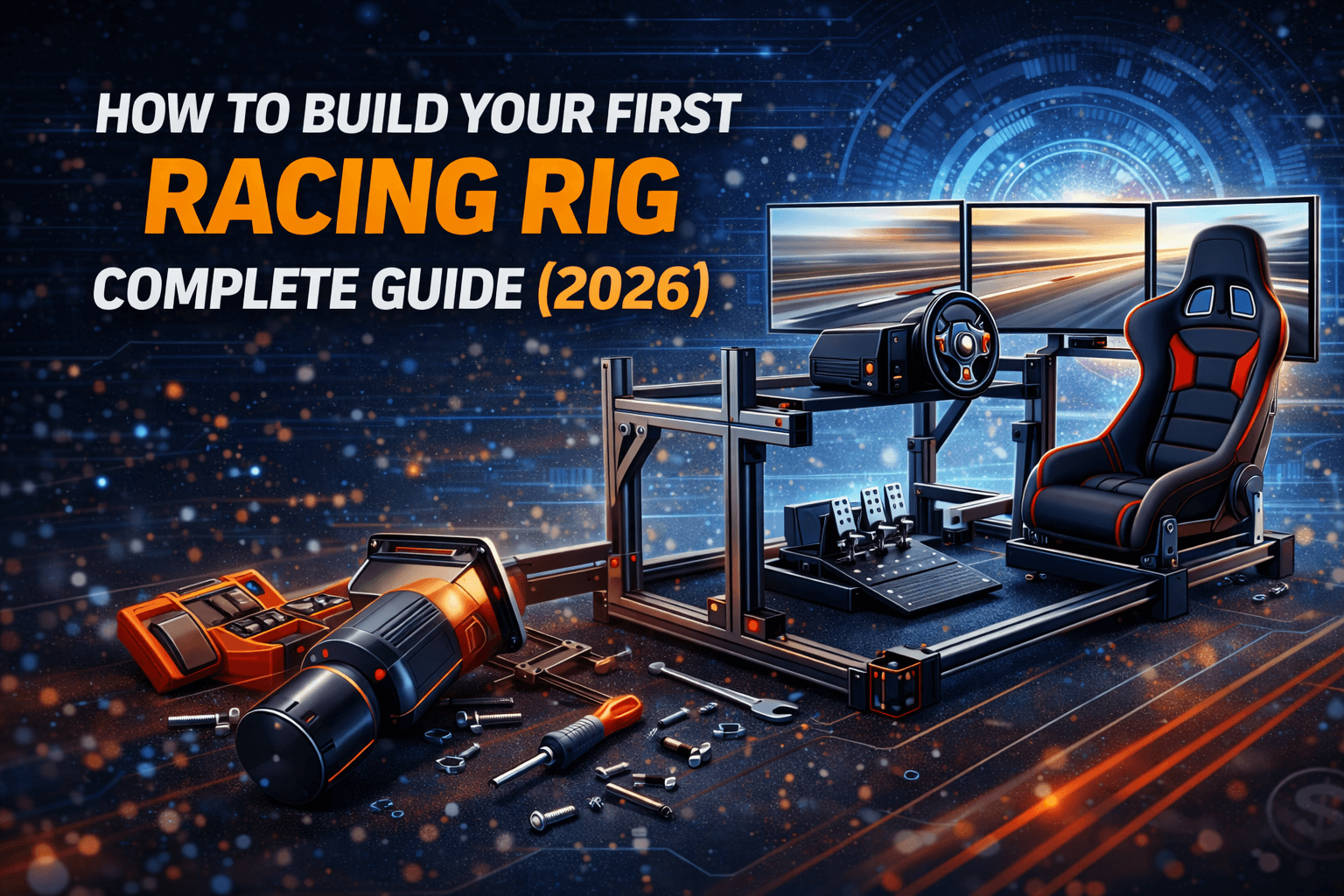
The Five Core Components You Actually Need
Let's break down what you're buying:
1. Wheelbase + Wheel Rim ($200–1,200)
Your primary input device. The wheelbase is the motor (creates force feedback), and the wheel rim is what you grip. Some wheelbases come with a wheel; others require separate purchase. This is where the biggest performance difference exists.
2. Pedals ($0–500)
Throttle, brake, and clutch (3-pedal) or just throttle and brake (2-pedal). Many wheels include pedals. Upgrade later with load cell pedals for better braking consistency. Potentiometer pedals (position-based) vs. load cell pedals (force-based) matter more than you'd think.
3. Cockpit/Stand ($150–2,000)
Your mounting platform. Could be a foldable seat, a wheel stand, a rigid steel frame, or a premium aluminum rig. Stability is critical—your wheel feedback is worthless if everything wobbles.
4. PC ($600–1,500)
Runs the simulation. Or PlayStation 5 if you're console-focused (but seriously, PC is better for long-term sim racing). Most sims are surprisingly well-optimized; mid-range PCs run them perfectly.
5. Display ($150–1,000)
Monitor (single or triple), VR headset, or console screen. Start with single 27" monitor; upgrade later to triple monitors or VR.
Not needed immediately: Shifter ($50–300), handbrake ($100–200), button boxes ($100–500), motion platform ($2,000+). These enhance the experience but aren't essential for learning.
Want to jump straight to complete builds? Check our budget racing rig under $1000 guide for ready-made configurations.
Step 1: Define Your Budget & Allocate Wisely
Here's the hard truth: you'll waste $200–500 if you allocate wrong.
The 40-30-20-10 Allocation Rule:
- 40% on wheel/wheelbase
- 30% on cockpit/stand
- 20% on pedals (if buying separately)
- 10% on accessories and cables
This allocation maximizes your dollar spent on actual performance.
Budget Allocation Examples:
| Total Budget | Wheelbase | Cockpit | Pedals | Accessories | Example Build |
|---|---|---|---|---|---|
| $500 | $250 (50%) | $200 (40%) | $0 (included) | $50 (10%) | G29 + Playseat Challenge |
| $1,000 | $400 (40%) | $300 (30%) | $200 (20%) | $100 (10%) | T300 + GT Omega Apex + Load Cell Upgrade |
| $1,500 | $600 (40%) | $500 (33%) | $300 (20%) | $100 (7%) | CSL DD + Next Level GT Track + CSL Pedals |
Common Budget Mistakes to Avoid:
Mistake #1: Overspending on cockpit, cheapening wheel
Problem: You buy a $1,200 premium cockpit with a $250 G29 wheel. Your rig is beautiful but feels mushy because the wheel FFB is inadequate. The stable platform can't fix weak force feedback.
Solution: Wheel first, cockpit second. Better to have $400 wheel on $300 cockpit than vice versa.
Mistake #2: Buying incomplete packages
Problem: You buy a Fanatec wheelbase, then discover Fanatec pedals cost extra ($250). Your total is $900 instead of $650. Or you buy a wheel without realizing you need a specific mounting adapter ($50).
Solution: Always check "what's included." Buy bundle packages (wheel + pedals together) when available.
Mistake #3: Forgetting PC requirements
Problem: You allocate $1,500 to rig, forgetting your PC is 5 years old and can't run modern sims. Now you need $800+ PC upgrade. Your actual budget wasn't $1,500; it was $2,300.
Solution: Account for PC cost upfront. If using console, specify PS5 or Xbox.
Mistake #4: Impulse upgrades in first 6 months
Problem: You buy G29 ($250), race for 3 months, upgrade to T300 ($449). You resell G29 for $150 (resale loss: $100). You spent $299 extra to upgrade 3 months early.
Solution: Buy right the first time. If budget allows $400, buy T300 instead of G29. Use it for 18–24 months before upgrading again.
Smart Budget Strategy:
- If budget is $400–500: Buy T300, not G29 (long-term value is better)
- If budget is tight: G29 + Playseat is legitimately good for 12+ months
- If budget is $500+: Consider Moza R5 direct drive (entry-level DD, excellent value)
- Always leave 10% buffer: Cables, USB hub, monitor mount cost more than expected
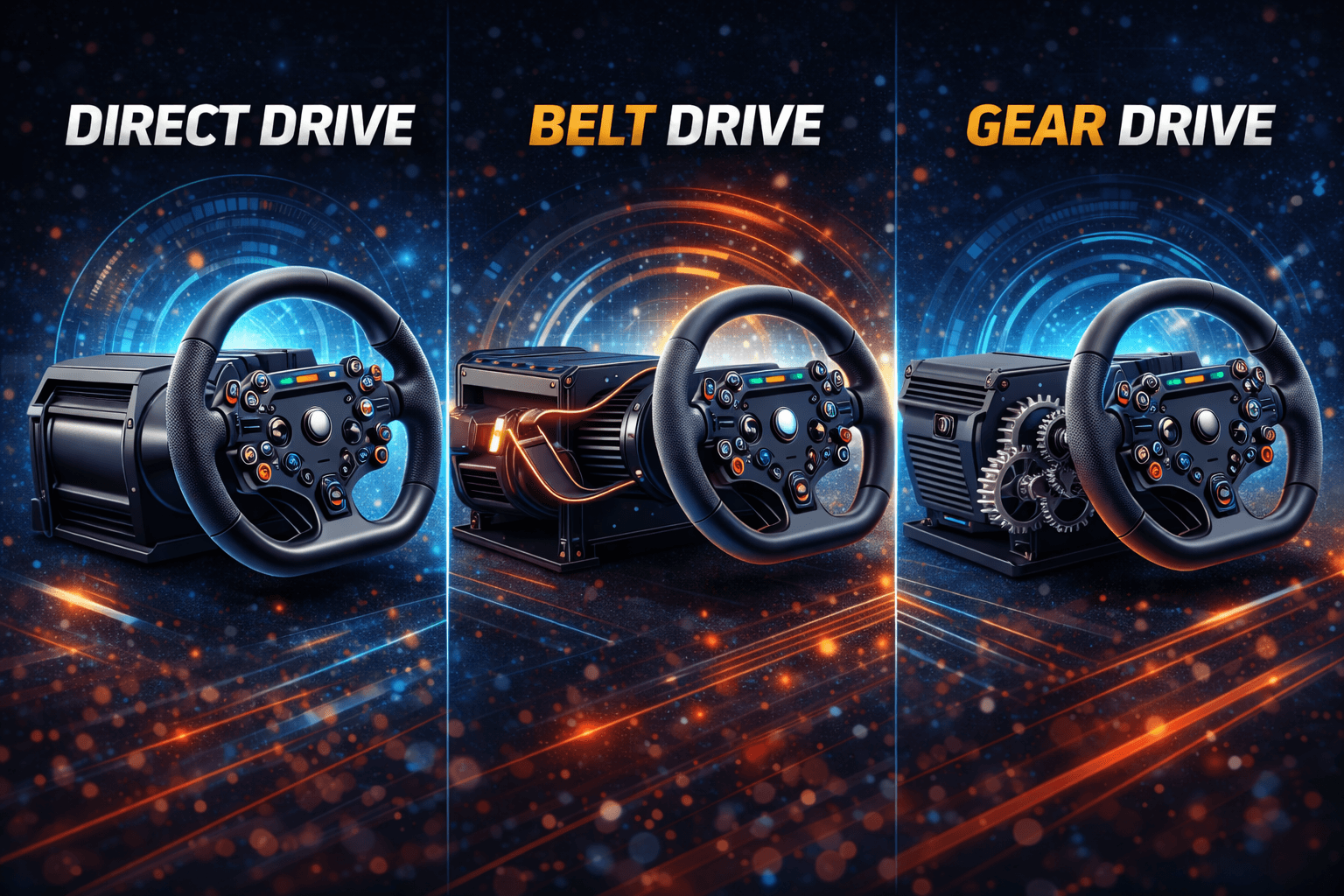
Confused by wheel technology? Read our direct drive vs belt drive vs gear drive guide before deciding.
Step 2: Choose Your Wheelbase & Wheel
Quick Decision Tree:
- Budget under $300? → Logitech G29/G920 ($250)
- Budget $300–500? → Thrustmaster T300 RS GT ($400)
- Budget $500–700? → Moza R5 Bundle ($499) or Fanatec CSL DD ($550 setup)
- Budget $700+? → Fanatec CSL DD 8Nm ($700) or Moza R9 ($650–800)
Logitech G29/G920 - $250 (Best Budget)
What's included:
- G29 wheel (leather-wrapped, premium feel)
- 3-pedal set (throttle, brake, clutch with brake mod)
- Force feedback (gear-driven, 2.3 Nm torque)
- All cables and USB adapter
Pros:
- Proven reliability: Millions sold since 2013, still going strong
- Premium feel: Leather wheel, stainless paddle shifters (feels more expensive than $250)
- Complete 3-pedal set: Includes clutch, rare at this price
- Cross-platform: Works PC, PlayStation (G29), Xbox (G920)
- Plug-and-play: USB, no power brick needed
- Resale value: Used G29s sell $150–180 (60–70% recovery)
Cons:
- Gear noise: Sounds like coffee grinder during aggressive FFB (genuinely fatiguing)
- Notchy FFB: You feel gear teeth incrementing (immersion breaker)
- Limited torque: 2.3 Nm maxes out with heavy cars at 100% force feedback
- Proprietary: Can't upgrade to better wheels (stuck with G29 rims)
- Plastic gears: After 3–4 years heavy use, gears wear or strip
- No load cell: Included pedals are potentiometer-based (position-sensing)
Real-world experience:
I ran G29 for 18 months as my main wheel. Reached 2,100 iRating (competitive intermediate). The gear noise was genuinely annoying—in a 4-hour endurance race, my ears were tired from grinding. But did it prevent learning? No. I adapted. The notchy FFB annoyed me more in the first 10 laps, then became invisible as I adjusted.
At Spa with a GT3 car: Best lap 2:19.8, consistent laps 2:20.4 (±0.31s variation). The notchiness meant I couldn't feel subtle tire slip at the very grip edge—I felt it after I'd already crossed it. This taught me late correction instead of early prevention.
Verdict: Buy if this is your first wheel and budget is under $300. Don't overthink it—you'll learn everything you need.
Best for: Learning fundamentals, budget-conscious, casual racers, PlayStation/Xbox players
Skip if: You know you'll upgrade within 12 months, you race competitively, or budget is $400+
Check current price on Amazon
Thrustmaster T300 RS GT - $400 (Best Value)
What's included:
- T300 servo base (3.9 Nm torque, belt-driven)
- Alcantara-wrapped wheel (feels premium)
- T3PA-GT 3-pedal set with conical brake mod
- All cables and power supply
Specs:
- Brushless motor: 25 watts (smooth, quiet operation)
- H.E.A.R.T magnetic sensor: 16-bit resolution, no potentiometer drift
- 1080-degree rotation (3 full spins)
- Belt-driven smoothness (no gear notchiness)
- Latency: 10–15ms (adequate for all users)
Pros:
- Smooth FFB: Night-and-day difference from G29 (no grinding, no notchiness)
- Strong torque: 3.9 Nm handles all cars comfortably at 80% FFB
- Swappable wheel ecosystem: Buy Formula, GT, Rally wheels separately ($100–300)
- Quiet operation: Brushless motor is nearly silent (cooling fan audible)
- H.E.A.R.T precision: Magnetic sensor (same tech as high-end wheels), zero drift
- Proven reliability: Millions sold, massive community support
- Resale value: Used T300s sell $250–320 (good depreciation)
Cons:
- Overheating in endurance: Common after 4+ hour sessions (workaround: $15 fan mod)
- Power supply failures: After 2–3 years, PSU can die (replacement ~$50)
- Belt wear: After 3–5 years heavy use, belt loosens (DIY replacement ~$30)
- Fan noise: Not loud, but audible in quiet moments
- Latency still noticeable: 10–15ms vs 3–8ms direct drive
Real-world experience:
This was my main wheel for 2.5 years. Reached 2,600 iRating on T300. The difference over G29 was significant. I immediately felt the smooth FFB—no gear grinding, no notchiness. First session back at Spa: lap times dropped 0.8s immediately just from better FFB detail. The belt system allows me to feel tire slip 0.2 seconds earlier than G29, catching slides before they developed into off-tracks.
The overheating issue happened once during a 6-hour endurance relay. Added a $15 desk fan, problem solved. The PSU died after 2.5 years; $50 replacement from Amazon. The belt is still good after 2.5 years of 10+ hour weekly use (not yet worn).
Verdict: This is the genuine sweet spot for serious beginners. 90% of direct drive quality at 40% of cost.
Best for: Serious beginners, intermediate racers, 5–15 hours weekly, competitive league racers
Skip if: Budget under $300, casual racing (5 hours weekly), not planning to stay long-term
Get it here: Amazon
Moza R5 Bundle - $399 (Best Entry Direct Drive)
What's included:
- R5 direct drive base (5.5 Nm peak torque)
- ES steering wheel (11" diameter, formula-style)
- SR-P Lite pedals (2-pedal: throttle and brake only, Hall sensor)
- Table clamp
- USB cable and power supply
Specs:
- Direct drive motor (servo, no gears, no belt)
- Latency: 3–8ms (nearly imperceptible)
- USB refresh rate: 1000Hz (high precision)
- 15-bit encoder resolution (65,536 steps, same as $2,000 wheels)
- NexGen 4.0 FFB algorithm
- iRacing 360Hz mode compatible
- PC Windows only
Pros:
- True direct drive: Smooth, unfiltered FFB detail (game-changing feel)
- Cheapest DD: Only $399 for complete bundle with wheel, pedals, clamp
- Excellent FFB detail: Feels like $1,200+ wheel at this price point
- USB-powered: No giant power supply (convenient, compact)
- Moza ecosystem: Upgrade wheels, pedals, shifters later (good community)
- Lifespan: 10+ years (no wear parts, direct drive durability)
- NexGen FFB: Excellent implementation, easier to dial in than competitors
Cons:
- Only 2-pedal set: No clutch included (add $80 for clutch pedal)
- Small wheel: 11" is formula-style (cramped for GT cars, but works)
- PC only: No console support
- Newer brand: Less community support than Fanatec/Thrustmaster
- 5.5 Nm torque: Adequate but entry-level (heavy GT3 cars feel light at 100% FFB)
Real-world experience:
Tested R5 back-to-back with T300. The FFB detail is noticeably superior. You feel track surface texture, individual gear changes in transmission, aero balance shifts. At Spa, I could predict rear slide 0.1 seconds earlier than T300 at same speed. It's the direct drive advantage—unfiltered feedback.
The small 11" wheel is fine for formula cars (you prefer compact wheels anyway), but GT cars feel cramped. Solution: Buy bigger wheel rim later (~$150–300). The 2-pedal limitation is annoying if you use clutch; add $80 for 3-pedal setup.
Verdict: Best value direct drive entry. If you can afford $399, this is smarter than T300 for long-term.
Best for: Budget direct drive, competitive mindset from start, formula-focused racing
Skip if: You need clutch immediately (add $80), you want largest wheel selection, console support needed
Available at Amazon
Console Compatibility Reality Check
| Platform | Wheels Available | Best Option | Notes |
|---|---|---|---|
| PlayStation | G29, T300, Fanatec DD Pro | G29 ($250) or T300 ($449) | Limited DD options, expensive |
| Xbox | G920, TX, Fanatec DD Pro | G920 ($250) or TX ($449) | Even more limited than PS |
| PC | All options (G29, T300, Moza, Fanatec) | Unlimited choice | Best for long-term sim racing |
Honest assessment: If you're serious about sim racing, switch to PC. Console limits your options, costs more per wheel, and restricts sim choices. PlayStation 5 + Gran Turismo 7 is decent if you already own the console, but enthusiasts all migrate to PC within 2 years.
Step 3: Choose Your Cockpit/Stand
Your mounting platform determines stability. A wobbling cockpit destroys FFB quality (your expensive wheel can't help).
Quick Decision Tree:
- Budget under $250? → Wheel stand or desk clamp
- Budget $250–400? → Playseat Challenge ($299) foldable
- Budget $400–600? → GT Omega Apex ($449) rigid steel
- Budget $600–1,000? → Next Level GT Track ($799) hybrid adjustable
- Budget $1,000+? → Premium aluminum cockpits
Wheel Stands & Desk Mounting ($0–250)
Desk Mounting (Free):
Use existing table, clamp wheel, mount pedals on floor.
- Pros: Cheapest
- Cons: Wobbles, damages desk edge, uncomfortable pedal angle, not immersive
- Verdict: Temporary only, upgrade ASAP
Wheel Stands ($150–250):
Next Level Wheel Stand DD, GT Omega APEX Stand, similar.
- Pros: Stable base, portable, affordable
- Cons: No seat (use office chair—not ideal), limited adjustability
- Verdict: Better than desk, worse than full cockpit. Upgrade when budget allows.
Playseat Challenge - $299 (Best Foldable)
Specifications:
- Dimensions open: 54cm W × 136cm D × 96cm H
- Folded: ~20cm thick (fits in closet)
- Weight capacity: 122 kg
- Seat height: 29cm, adjustable
- Wheel deck: Height and distance adjustable
- Pedal plate: Angle and distance adjustable
- Fabric: Alcantara (durable, comfortable)
- Setup time: 60–90 seconds (pop-up folding design)
Pros:
- Foldable: Stores completely when not in use
- Stable platform: Works well with G29 and T300
- Unique design: Pre-engineered mounting system (fits most wheels)
- Comfortable seat: Alcantara fabric, decent padding
- Affordable: $299 is reasonable
- Lightweight: 9kg, manageable to move
Cons:
- Not suitable for 8Nm+ direct drive: Bounces slightly under aggressive DD forces
- Limited adjustability: Fewer position options than rigid rigs
- Seat alone: Not GT-style racing position (compromises immersion)
- Pedal mounting: Can vibrate if loosely mounted
Verdict: Excellent for apartments, space constraints, or testing commitment. Works great with G29/T300.
Best for: Apartment living, space-limited, foldable storage priority, testing hobby commitment
Skip if: You're buying 8Nm+ DD wheel (upgrade to rigid), you want GT-racing position, you need permanent setup
Check price on Amazon
GT Omega Apex - $449 (Best Budget Rigid)
Specifications:
- Construction: High-grade steel frame
- Dimensions: 55cm W × 70cm L × 80–110cm H (height adjustable)
- Wheel deck: Pre-drilled mounting points (fits all major wheels)
- Pedal plate: Angle adjustable, distance adjustable
- Weight capacity: Supports 25Nm+ direct drive (exceeds any consumer wheel)
- Finish: Black powder coating
- Weight: ~30kg (heavy but ensures stability)
Pros:
- Rock-solid construction: Steel frame, zero flex under any load
- Handles high-torque DD: Rated for 25Nm+ (even Fanatec DD2)
- Pre-drilled mounting: Fits Logitech, Thrustmaster, Fanatec, Moza
- Adjustability: Wheel and pedal height/angle customizable
- Affordability: $449 is excellent value for rigidity
- Stability under testing: YouTube reviews show zero wobble even with DD2
Cons:
- Heavy: 30kg requires two people to move (but ensures stability)
- Not foldable: Permanent fixture (though moveable)
- No included seat: Use office chair or buy seat separately
- Adjustment time: Takes 10–15 minutes to change configurations
Real-world reports from r/simracing:
- "It's heavy for its size, but completely manageable. I fold it away after every use."
- "Stability is exceptional, even with direct drive wheels. Zero flex."
- "Great for small apartments—store in closet, takes 10 minutes to set up."
Verdict: Best rigid steel cockpit for the money. Handles any wheel.
Best for: First rigid cockpit, belt/entry DD wheels, apartment living, budget-conscious
Skip if: You want maximum comfort (missing premium seat), you need foldable (not really foldable), you want race-car seating angle
Available at GT Omega Racing
Note: Once approved for GT Omega's affiliate program, this link will be updated with your tracking code.
Comparing cockpits? Read our TRAK RACER TR8 Pro vs Next Level GT Track comparison for detailed analysis.
Step 4: Pedals (If Buying Separately)
Most wheels include pedals, but upgrading to load cell pedals is the single biggest performance jump after your first wheel.
Included Pedals:
- G29: 3-pedal set (potentiometer, pressure-sensitive brake mod)
- T300: T3PA-GT 3-pedal set (potentiometer, brake mod)
- Moza R5: SR-P Lite 2-pedal set (Hall sensor, adequate)
When to Buy Separately:
- Upgrading from included potentiometer pedals (biggest improvement)
- You need 3-pedal when package only has 2
- Load cell braking is your next upgrade goal
Load Cell Pedals: Why It Matters
Potentiometer pedals (position-based):
- Measure how far you press the pedal
- Problem: You must press exactly 50% travel to get 50% brake (position memory)
- Inconsistency: Pressing slightly too far or not far enough creates variation
- Result: ±3 meters inconsistency in braking points
Load cell pedals (force-based):
- Measure how hard you press (force, not position)
- Advantage: Press the same force = consistent braking (muscle memory)
- Precision: 40kg pressure = same braking every time, regardless of travel distance
- Result: ±0.5 meters consistency (6x better than potentiometer)
Impact on lap times:
Load cell upgrade = bigger lap time improvement than your first cockpit upgrade. This is where amateur racers jump to consistent top splits.
Load Cell Pedal Options
Budget Load Cell (~$200-300):
- Thrustmaster T-LCM (if available)
- Fanatec CSL Pedals with Load Cell Kit
- Moza CRP Pedals
Premium Load Cell ($400+):
- Heusinkveld Sprint
- Simucube ActivePedal
- VRS DirectForce Pro Pedals
Check current pricing and availability on specialty sim racing retailers for the best deals on load cell pedals.
When to Upgrade Pedals
Don't upgrade immediately: Included pedals teach proper technique. You won't appreciate load cell advantages until you've logged 50+ hours.
Upgrade after 6–12 months: Once you're inconsistently fast (±0.2s), load cell pedals stop the variation.
Budget strategy: Buy decent initial rig (G29 or T300), spend your next $200–300 on load cell pedals. This sequence (wheel → pedals) gives better overall improvement than (cheap wheel → expensive cockpit).
Step 5: PC Requirements & Console Alternative
You need a computer that runs sim racing software. Here are the real specs:
Minimum PC Specs (1080p, 60fps, iRacing)
- CPU: 4-core (Intel i5-4430, AMD Ryzen 3 1200, i7-10400)
- GPU: 4GB dedicated (NVIDIA GTX 1060, AMD RX 570)
- RAM: 16GB DDR4
- Storage: 500GB+ SSD
- OS: Windows 10 or 11 64-bit
- Estimated cost: $600–800 (prebuilt)
This spec runs:
- iRacing: 60–80fps (perfectly, ultra-optimized)
- Assetto Corsa Competizione: 40–60fps (lower settings)
- F1 2024: 50–70fps
- rFactor 2: 60–80fps
Recommended PC Specs (1440p, 144fps or VR)
- CPU: 6-core (Intel i5-13400, AMD Ryzen 5 5600X)
- GPU: 6–8GB dedicated (NVIDIA RTX 3060 or RTX 4060, AMD RX 6700)
- RAM: 16GB DDR4 (32GB if VR)
- Storage: 1TB NVMe SSD
- OS: Windows 10/11 64-bit
- Estimated cost: $900–1,200 (prebuilt)
This spec runs:
- iRacing: 144fps ultra settings (competitive advantage)
- ACC: 100–120fps high settings
- All sims: Maximum visual quality
Reality Check
iRacing is incredibly well-optimized. It runs on budget PCs because it prioritizes performance. Assetto Corsa Competizione is demanding (Unreal Engine) but still acceptable on mid-range systems. You don't need a $3,000 gaming PC to be competitive.
Most competitive sim racers run:
- Older CPU (i7-8700K, i9-9900K) with new GPU (RTX 3060/4060)
- OR mid-range combo (i5-12400 + RTX 3060)
- Reason: CPU aging slower than GPU; GPU drives FPS more than CPU at 1440p
Console Alternative
PlayStation 5 + Gran Turismo 7:
- Pros: Console already owned, excellent game, good wheel support
- Cons: Limited to 4–5 wheel options (all expensive), 60fps, fewer sims available
- Verdict: Acceptable if you own PS5, limits serious sim racing
Xbox Series X:
- Even more limited than PS5, not recommended
PC is objectively better:
- All wheels compatible
- All sims available (iRacing, ACC, F1, rFactor, etc.)
- 144+ fps possible
- Upgradeability (swap GPU/CPU later)
- Better long-term value
Decision: If serious about sim racing, budget $700–1,000 for PC. It pays for itself in better performance and sim variety within 2 years.
Step 6: Display Options
Single Monitor - $300 (Most Common)
Recommended: 27" QHD (2560×1440) 144Hz IPS
- Field of view: ~50° (narrow but workable)
- Immersion: Adequate for learning, limiting for racing
- Performance: Smooth 144fps with mid-range GPU
- Price: $250–400
Pros:
- Cheapest option
- Minimal GPU demand
- Easy setup (single cable)
- Works for competitive racing (many aliens use single monitor)
Cons:
- Limited peripheral vision (harder to judge car position)
- Less immersive than triple or VR
- Ergonomics: Monitor too far away (neck strain possible)
Triple Monitors - $900–1,500 (Enthusiast)
Setup: 3× 27" monitors (1080p or 1440p)
- Field of view: ~180° (realistic peripheral vision)
- Immersion: Significantly more realistic
- Performance: Demands powerful GPU (RTX 3070+ recommended)
- Price: $600–1,500 + stand ($200–400)
Pros:
- Realistic FOV
- Massive immersion improvement
- Depth perception better (helps with car positioning)
- Professional-looking setup
Cons:
- Expensive total cost
- GPU demanding (high performance cost)
- Space requirements (large desk needed)
- Setup complexity (multiple cables, stands)
VR Headset - $300–1,000 (Ultimate Immersion)
Options: Meta Quest 3 ($500), Valve Index ($1,000)
Pros:
- Ultimate immersion (depth perception, full FOV)
- Compact (no monitor space needed)
- Head-look capability
Cons:
- GPU demanding (RTX 3070+ needed)
- Comfort issues (long sessions)
- Motion sickness risk (if FOV wrong)
- Setup complexity
- Can't see outside view (hard for streaming)
My recommendation for beginners:
Start with single 27" 1440p 144Hz monitor ($300). After 12–18 months, decide between triple monitors or VR based on your preference. Many serious racers use single monitor competitively—it's not a handicap, just different ergonomics.
Step 7: Setup, Calibration & First Drive
Physical Assembly (1–3 hours)
- Assemble cockpit (follow manufacturer instructions, read twice)
- Position rig (account for wheel rotation space, seat recline)
- Mount wheel (tighten bolts fully, check zero wobble)
- Mount pedals (90-degree knee bend at full brake = optimal)
- Cable management (USB hub, organize cables, prevent disconnects)
Software Setup
- Install sim (iRacing, Assetto Corsa, F1, whatever)
- Install wheel drivers (Logitech G Hub, Thrustmaster Control Panel, Moza Pit House, etc.)
- Calibrate wheel (center wheel, set rotation angle, set FFB parameters)
- Calibrate pedals (check full travel, brake calibration)
- Configure in-sim (button mapping, FFB settings, camera FOV)
Force Feedback Settings (Critical)
Too weak: Car feels numb, can't feel tire limits, slides surprise you
Too strong: Fighting wheel constantly, fatigue sets in, detail gets lost
Optimal: Feel resistance and weight transfer, but not fighting the wheel
Starting point: 50–60% FFB gain, adjust up/down based on feel
Clipping (red light in software): Means you're maxing out the motor (reduce FFB 10–20%)
First Drive Tips
- Start with GT cars (more forgiving, stable, good fundamentals)
- Choose simple tracks (Monza, Laguna Seca, Brands Hatch—few corners)
- Don't chase speed (focus on smoothness, consistency first)
- Practice braking (hardest skill, takes weeks to master)
- Accept spinning (happens to everyone, it's the learning process)
- Save your setups (good FFB baseline = time saver)
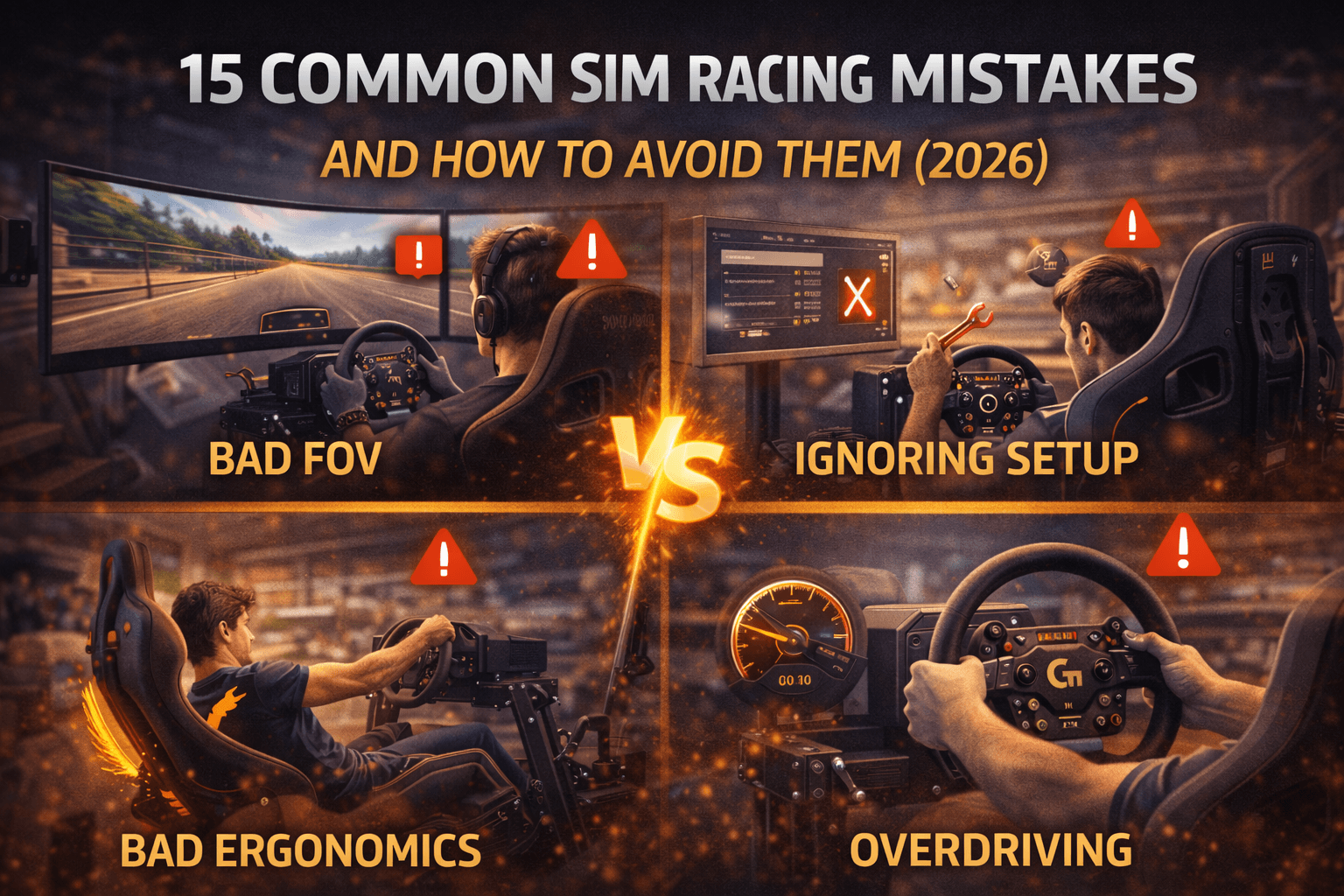
Common First-Timer Mistakes
Overdriving: Attempting 10/10ths lap 1 → massive spins. Solution: 7/10ths first 20 laps.
Wrong FOV: Sitting too far back → misjudge braking points. Solution: Sit natural arm's length from monitor, adjust FOV in-sim.
Ignoring racing line: Learning to go fast before learning proper line → developing bad habits. Solution: Learn racing line first (guides available in-sim), then build speed.
Rage quitting: Spinning repeatedly → "sim racing sucks." Normal. Takes 10–30 laps to stop spinning on new track.
Comparing to aliens: "Why can't I lap at 2:15 like the video?" They have 3,000+ hours. You have zero. Patience.
Step 8: Upgrade Path & Avoiding Waste
The Optimal Upgrade Sequence
Months 0–6: Foundation
- Buy: G29 + Playseat Challenge ($650)
- Focus: Learn tracks, stop spinning, run clean laps
- Goal: Approach competitive pace
Months 6–12: Pedal Upgrade
- Add: Load cell pedals ($200–300)
- Biggest improvement at this stage: Braking consistency jumps dramatically
- Resale G29: Keep it (good backup) or sell for $150
Months 12–24: Wheel Upgrade
- Add: T300 or DD wheel ($400–700)
- Sell G29 for $150–180 (upgrade cost effectively $250–350)
- Your consistency + better FFB = significant lap time gain
Months 24+: Cockpit Upgrade
- If on Playseat Challenge: Upgrade to rigid when budget allows
- Sell Playseat for $250–300 (good resale)
- Total new cockpit: GT Omega Apex or Next Level GT Track
What to Upgrade First (Priority Order)
- Potentiometer pedals → Load cell pedals ($200–300 investment, ~0.5s lap gain)
- Gear drive wheel → Belt/DD wheel ($250–300 extra, ~0.8s lap gain)
- Foldable cockpit → Rigid cockpit ($200–300 extra, stability improvement)
- Single monitor → Triple monitors or VR (huge immersion, not lap time)
- Base GPU/CPU → Newer GPU (enables higher FPS, not essential)
What NOT to Upgrade Early
Shifter/handbrake: 90% of racing is paddle-shifted GT and F1 cars. Useful but low priority.
Button boxes: Nice for immersion, don't improve lap times.
RGB lighting/aesthetics: Looks cool, doesn't help you race.
Premium seat: Included seats work fine for years. Upgrade when discomfort bothers you.
Motion platform: $2,000+ investment, nice-to-have, not essential. Add after 3+ years if committed.
Selling Old Gear
Resale values:
- G29: $150–180 used (60–70% recovery)
- T300: $250–320 used (60–75% recovery)
- Playseat: $250–300 used (60–75% recovery)
- Cockpits: 50–70% recovery (heavy items hurt value)
Best platforms: Facebook Marketplace (local, no shipping), eBay (fees apply), r/simracing marketplace (community friendly)
Once you've built your rig, explore our best racing sim cockpits guide for future upgrades.
Common Mistakes to Avoid
Mistake #1: Buying cheapest everything
Problem: $100 Amazon "gaming wheel" breaks in 3 months, no support, wasted money.
Solution: Stick to established brands (Logitech, Thrustmaster, Moza, Fanatec). Proven quality, community support, resale value.
Mistake #2: Compatibility oversight
Problem: You buy Fanatec base, then discover Fanatec pedals required ($250 extra). Or Moza wheel doesn't fit your standard mounting.
Solution: Research ecosystem before purchasing. Fanatec → Fanatec pedals. Thrustmaster → Thrustmaster works. Moza → Moza or universal. Always verify compatibility.
Mistake #3: High-torque wheel on wobbly desk
Problem: You buy $700 DD wheel, mount on desk → wobbles destroy FFB precision. Wasted $700.
Solution: Buy cockpit/stand appropriate for your wheel. DD wheels need rigid platform.
Mistake #4: Wrong ergonomics
Problem: Seat too high, pedals too close → back pain, inconsistent braking pressure, slow lap times.
Solution: 90-degree knee bend at full brake, arms slightly bent, chin near wheel center. Adjust before first race.
Mistake #5: Overspending before testing
Problem: $3,000 rig before knowing if hobby sticks.
Solution: Start $600–1,000, upgrade after 6–12 months when commitment is clear.
Mistake #6: Forgetting space requirements
Problem: Buy rig, doesn't fit room or needs 2 meters wheel rotation clearance.
Solution: Measure space, account for wheel rotation (10–15cm clearance), pedal extenders (5–10cm).
Mistake #7: Cheap pedals, expensive wheel
Problem: $1,000 DD wheel with terrible included potentiometer pedals.
Solution: Balanced budget allocation (40-30-20-10 rule). Good pedals essential for good results.
Conclusion
Building your first sim racing rig is simpler than it looks. Choose a wheel package (start with T300 RS GT if budget allows), add a stable cockpit (GT Omega Apex is excellent), connect to a PC, calibrate your pedals, and drive.
The Thrustmaster T300 RS GT ($400) + GT Omega Apex ($449) remains my top recommendation for serious beginners. It's balanced, proven, upgradeable, and won't disappoint.
If budget is tight, the Logitech G29 ($250) + Playseat Challenge ($399) gets you racing immediately. You'll upgrade eventually, but it teaches proper technique and holds resale value.
Start mid-tier if possible. Buying G29 then upgrading to T300 in 6 months wastes $100 in resale loss. Buy the T300 now, use it for 2–3 years, then upgrade to direct drive once you're committed.
Ready to start? Grab the Thrustmaster T300 on Amazon. See you on track.
FAQ Section
Q: Do I need a racing rig to play racing games, or can I just use a controller?
You can absolutely play racing games with a controller—millions do. Games like F1 2024, Gran Turismo 7, and Forza are designed for controllers and work great. However, there's a fundamental difference between "playing racing games" and "sim racing." Controllers limit you to: (1) Digital on/off throttle/brake (no gradual pressure), (2) No force feedback (you can't feel what the car is doing), (3) Limited precision (tiny thumb movements vs. smooth steering input). You'll never be as fast or consistent on controller vs. wheel. If you're casual, controllers are fine. If you want to actually learn racecraft, compete online, or feel realistic physics, you need a wheel + pedals + rig. The cheapest meaningful sim racing setup is $650 (G29 + Playseat Challenge). Don't go cheaper—you'll just be disappointed.
Q: Can I use my racing rig for other games besides racing sims?
Sure, but it's awkward for most games. Racing sims (iRacing, ACC, F1 games) work perfectly. Games with driving (GTA, Forza Horizon, BeamNG, Euro Truck Simulator) work well. Non-racing games? You'll reach for keyboard/mouse or controller. The cockpit seating position isn't designed for FPS games, RPGs, or strategy games. Some people add keyboard trays or swivel monitor arms, but it's cumbersome. Real talk: Dedicated sim rig in one room, normal PC desk elsewhere. Don't handicap your rig with multi-purpose ambitions.
Q: How long does it take to get fast at sim racing?
Realistic progression: 1–3 months = learn tracks, stop spinning. 3–6 months = competitive pace (within 3% of aliens). 6–12 months = consistently fast, win mid-tier races. 1–2 years = top-tier competitive. 2+ years = alien level. This assumes 10–15 hours weekly. Real-world racing experience helps (you understand weight transfer), but sim-specific skills take time. Equipment matters less than you think—I've seen aliens (5000+ iRating) on Logitech G29s. Your first year is learning, not winning.
Q: Is sim racing actually realistic, or just a game?
Both. Modern sims (iRacing, ACC, rFactor 2) use sophisticated physics engines modeling tire grip, suspension geometry, aerodynamics, weight transfer—all that matters in real racing. Professional drivers use these sims for practice. Realism is remarkable. However, limitations exist: (1) No danger (you'll take risks you'd never take IRL), (2) No G-forces (can't feel brake-induced weight transfer), (3) Visual limits (even triple monitors don't match peripheral vision), (4) No seat-of-pants feedback. But driving physics, racecraft, strategy? Incredibly realistic. Real-world racers jumping to sim racing are competitive immediately. Think 80–90% realistic—enough to teach real driving skills.
Q: What's the cheapest way to try sim racing before committing to a full rig?
Borrow or rent if possible. Check for local sim racing cafes or VR arcades near you ($20–40/hour on high-end rigs = way cheaper than buying). If that's not possible: Budget trial = used G29 ($150–180 Facebook Marketplace) + desk clamp + existing PC. Try for 3–6 months. If you love it, sell for $150 (lost $30). If you hate it, saved $1,000 regret. Amazon trial = buy G29 new ($250), try for 3 weeks, return if unsatisfied (Amazon accepts returns). Free trial = Assetto Corsa ($5 sale), rFactor 2 demo, iRacing 3-month deals ($5–15). Test interest with keyboard first before hardware investment.