Introduction
I ran a competitive sim racing setup in a 10m² bedroom for 3 years. Here's how to maximize performance while minimizing footprint.
Small space doesn't mean compromising on sim racing. It means getting smart about what you buy and how you organize it. This guide covers foldable cockpits, compact rigid rigs, storage solutions, and room layout strategies that actually work in apartments, bedrooms, and shared spaces.
You'll learn exact footprints (not marketing numbers), real setup times, and honest recommendations for limited spaces. Whether you're in a studio apartment, shared bedroom, or college dorm, there's a solution that fits.
Note: This guide contains affiliate links. If you purchase through our links, we may earn a commission at no extra cost to you. This helps support our testing and content creation.
Quick Space Requirements Reference
Minimum Space Needed by Setup Type:
| Setup Type | Deployed Footprint | Stored Footprint | Setup Time | Best For |
|---|---|---|---|---|
| Foldable Cockpit | 115-140 cm² (4-4.6 ft) | 30x60x100cm (closet) | 2 min | Smallest spaces, shared rooms |
| Compact Rigid | 140-155 cm² (4.6-5.1 ft) | N/A (permanent) | N/A | Dedicated corner only |
| Wheel Stand + Chair | 100x80cm (3.3x2.6 ft) | 40x40cm folded | 3 min | Temporary, shared setups |
| Wall-Mounted Foldable | 80x60cm (2.6x2 ft) | Folds to wall (10cm) | 5 min | Ultimate space-saving |
| DIY Compact | 130x55cm (4.3x1.8 ft) | Varies | N/A | Custom fit for odd spaces |
Room Size Recommendations:
- Very Small (8-12m² / 85-130 sq ft): Foldable cockpit or wall-mounted only
- Small (12-16m² / 130-170 sq ft): Foldable or compact rigid in corner
- Medium (16-20m² / 170-215 sq ft): Any option works well
- Shared Space (living room): Foldable essential for WAF (Wife Acceptance Factor)
Once you know your space, check our complete cockpit buyer's guide for all options.
Foldable Cockpits: Best Space-Saving Performance
Playseat Challenge - $399 (Best Overall Foldable)
Specifications:
- Deployed: 136x54x96cm (53.5x21x37.8 inches)
- Folded: 60x80x20cm (folds completely flat or stands upright)
- Storage: Under bed, closet, behind door (incredibly compact)
- Weight: 8.5kg (easily movable by one person)
- Setup time: 90 seconds (no tools, no assembly)
- Max weight: 122kg (269 lbs)
- Max height: 220cm (7'2")
Performance:
- Rigidity: Surprisingly good for foldable (handles G29, T300 well)
- Not suitable for: Direct drive 12Nm+ (flex noticeable at high torque)
- Comfort: Fabric seat (breathable, decent 2-3 hour comfort)
- Durability: 3+ years typical lifespan (hinges are weak point)
Real-World Experience:
I used the Playseat Challenge for 18 months in a 10m² bedroom competing in iRacing. Setup routine: unfold from closet (90 seconds), position pedals, race, fold and store in closet (2 minutes total). Zero setup friction—actually easier than a rigid cockpit because no bolting required.
WAF Rating: Extremely high. It literally disappears when folded. Spouse never saw it except during races.
Get it: Check price on Amazon
Next Level Racing GT Lite - $349 (Best Budget Foldable)
Specifications:
- Deployed: 176x93x95cm
- Folded: 104x93x30cm (folds flat)
- Max weight: 130kg
- Height range: 120-200cm
- Weight: 14.4kg
- Unique feature: Folds with electronics still attached (wheel/pedals stay mounted)
Advantages over Challenge:
- Handles direct drive 5-8Nm (Moza R5, CSL DD 5Nm work perfectly)
- More rigid seat (better support)
- Pre-drilled for all major wheels (less fiddling)
Disadvantages:
- Heavier (14.4kg vs 8.5kg = harder to move)
- Bulkier folded (still fits closet but tighter)
- Seat less comfortable (firmer padding)
- Fewer color/fabric options
Best for: Small space racers wanting direct drive capability without huge footprint increase.
Check: Amazon
Pros & Cons of Foldable Cockpits
PROS:
✅ Completely disappears when not racing (maximum WAF)
✅ Easy to move between rooms (lightweight, compact folded)
✅ High rigidity despite being foldable (better than expected)
✅ Budget-friendly ($300-400 entry point)
✅ Storage in closet/under bed (zero visible footprint)
✅ Quick setup/packdown (90 seconds)
CONS:
❌ Setup/packdown friction (reduces spontaneous 20-min sessions)
❌ Limited DD compatibility (8Nm max realistically, 12Nm+ shows flex)
❌ Less adjustability than rigid (fixed angles)
❌ Wear over time (hinges, fabric develop issues)
❌ Less comfortable on very long sessions (4+ hours)
❌ Seat cover not removable (can't wash fabric)
Compact Rigid Cockpits: Small Footprint, No Folding
Next Level Racing GT Track - $799 (Smallest Quality Rigid)
Specifications:
- Footprint: 155x60cm (5.1x2 ft)
- Handles: Direct drive 8-12Nm perfectly
- Height adjustable: 6 positions
- Adjustability: Excellent (best in compact category)
- Weight: 38kg (requires 2 people to move)
- Setup: No weekly breakdown (always deployed)
Space Optimization:
- Corner placement: Angle 45° into corner, saves ~20% floor space
- Under-desk storage: Pedals slide under desk when racing desk setup
- Multi-purpose: Cockpit seat doubles as reading chair
See detailed review: GT Track full review
Space Optimization Strategies for Rigid Cockpits
Corner Placement:
- Angle cockpit 45° into room corner
- Saves ~20% floor space vs straight wall
- Tip: Measure your corner angles (not all perfect 90°)
Under-Desk Integration:
- Position pedals slide under adjacent desk
- Desk doubles as monitor stand (clean setup)
- Requires: Desk 60cm+ deep
Multi-Purpose Furniture:
- Cockpit seat = racing + reading/gaming chair
- Monitor arm swivels (sim racing ↔ desk work)
- Cost: $50-100 monitor arm
Pros of Compact Rigid:
✅ Full performance (handles any wheel/pedal)
✅ No setup/packdown (always ready)
✅ Better adjustability than foldable
✅ Long-term durability (10+ years)
✅ Feels more like real race car
Cons of Compact Rigid:
❌ Permanent footprint (always visible)
❌ Lower WAF (takes visible space)
❌ Can't move without 2 people
❌ Kitchen/living room setups: spouse must approve aesthetics
Wheel Stand Solutions: Maximum Flexibility
Concept: Wheel/pedal stand + separate office/gaming chair (flexible, not foldable cockpit)
Next Level Racing Wheel Stand DD - $200
Specifications:
- Footprint: 50x40cm (wheel stand only)
- Total with chair: 100x80cm (includes office chair space)
- Foldable: Yes (folds to compact size)
- Handles: Direct drive 8-12Nm (surprisingly rigid)
GT Omega APEX Stand - $150
Footprint: 48x38cm
Foldable: Yes
Limitation: Belt-drive wheels max (T300, not DD)
Why Wheel Stands Are Compromises
The Office Chair Problem:
- Office chair rolls during hard braking (major issue with load cell pedals)
- Ergonomics wrong (too upright vs proper racing position)
- Less immersive (doesn't feel like race car)
- Pedal stability varies (stand shifts slightly)
Solutions:
- Wheel locks for chair (still not ideal)
- Fix chair against wall (loses flexibility)
- Better: Buy Playseat Challenge instead ($200 more, way better experience)
My Take: Wheel stands are awkward compromise. For $200 more, Playseat Challenge is vastly better. Only use wheel stands if you absolutely must use existing office setup and can't afford foldable cockpit.
Wall-Mounted & DIY Solutions (Ultimate Space-Saving)
Wall-Mounted Foldable Rig (Ultimate Space-Saving)
Concept: Cockpit hinges down from wall (like murphy bed)
Specifications:
- Deployed footprint: 80x60cm
- Stored: Folds flat against wall (10cm projection)
- DIY cost: $200-400 materials
- Commercial option: SimCore Wall Rig ($800-1200)
- Setup time: 30 seconds (pull down, lock)
How It Works:
- Wheel/pedal deck hinges from wall-mounted frame
- Seat either wall-mounted or separate chair
- Gas struts assist lifting/lowering (no manual effort)
Pros:
✅ Smallest footprint (disappears to wall)
✅ Cool factor (impresses visitors)
✅ Completely invisible when not in use
✅ Ultimate WAF (completely hidden)
Cons:
❌ Requires wall mounting (not renter-friendly)
❌ DIY complexity (woodworking skills needed)
❌ Commercial options expensive ($800+)
❌ Limited adjustability once built
Renter-Friendly Option: Tension-mount system (floor-to-ceiling pressure, no wall penetration). Used for earthquake safety, completely removable, fills no holes.
DIY Experience: I built a wall-mounted rig for a friend's apartment. Deployed footprint 75x55cm, stored completely flat. Took 2 weekends. Works great, but requires commitment and woodworking skills. Best for permanent residents, not renters.
Compact DIY 8020 Build
Concept: Custom aluminum profile rig sized for your exact space
Specifications:
- Footprint: As small as 120x50cm (custom-designed)
- Cost: $400-700 (aluminum + hardware)
- Advantage: Perfect fit for odd-shaped spaces
Resources:
- Plans: r/simracing wiki, YouTube "DIY 8020 sim rig"
- Materials: Aluminum tubing, T-nuts, bolts
- Time: 1-2 weekends (moderate DIY skills)
Room Layout Strategies
Bedroom Layouts
Layout 1: Corner Setup (12m² room)
- Placement: Angled 45° in corner
- Benefits: Saves floor space, wall support for monitor arm
- Cockpit type: GT Track or foldable
- Deployed footprint: ~1.5m²
Layout 2: Closet Storage (10m² room)
- Placement: Center of room when racing
- Storage: Playseat Challenge completely in closet
- Setup: 90 seconds deploy, 90 seconds packdown
Layout 3: Under-Bed Slide (14m² room)
- Concept: Low-profile rig slides under bed (on casters)
- Requirements: Bed height 40cm+ clearance
- Deploy: 30 seconds (pull out from under bed)
- DIY: Custom platform on casters (~$100 materials)
Living Room/Shared Space
Strategy 1: Behind Couch Storage
- Playseat Challenge folds, stands behind couch
- Stored footprint: 30cm width (couch pulls 30cm from wall)
- High WAF: Invisible to guests
Strategy 2: TV Room Integration
- Cockpit faces main TV (shares screen)
- Foldable cockpit deploys in front of couch
- Family-friendly: Quick setup for racing sessions
Strategy 3: Multi-Purpose Space
- Wheel stand + desk chair
- Desk doubles as monitor mount
- Setup: 3 minutes (attach wheel, position chair)
College Dorm Solutions
Compact Setup ($650 total):
- Logitech G29 ($250) + Playseat Challenge ($399)
- Folds completely (stores in closet or under bed)
- Single monitor (use existing laptop/monitor)
- Footprint: 115x52cm deployed, closet when stored
Ultra-Budget ($350 total):
- Used Logitech G29 ($150) + wheel stand ($100) + desk chair (free)
- Not ideal but works for tight budgets
Renter-Friendly Considerations:
- No wall mounting (security deposit risk)
- Foldable essential (move-out flexibility)
- Carpet-safe (no floor damage)
- Noise: Gear-driven wheels loud (consider belt/DD if thin walls)
Component Selection for Small Spaces
Wheel/Wheelbase
Compact options:
- Moza R5 ($300): USB-powered (no giant power brick)
- Thrustmaster T300 ($400): Compact, reliable
- Fanatec CSL DD ($500): Smaller than Podium
Avoid:
- Fanatec Podium (huge base, overkill for small spaces)
- Any 15Nm+ DD (requires massive cockpit)
Pedals
Compact:
- T-LCM ($200): 3-pedal, compact footprint
- Fanatec CSL 2-pedal ($250): Smallest quality load cell
Avoid:
- Heusinkveld (huge pedal plate, needs dedicated space)
Monitor
Best: Single 27-32" curved (immersive, compact)
Avoid: Triple monitors (requires 1.5m+ width)
Alternative: VR headset (zero space)
VR Headset (Space Game-Changer)
Meta Quest 3 ($500)
- Weight: 515g (light)
- Storage: Headset + controllers fit in drawer (zero footprint)
- Display resolution: 2064×2208 per eye (sharp)
- Setup: Just put on headset (no monitor needed)
- Immersion: Higher than single monitor
- WAF: Maximum (no monitor on TV)
Meta Quest 3S ($300)
- Budget version: Lower resolution, heavier (514g)
- Storage: Same (fits in drawer)
- Still works: Great for casual racing
Advantages for small spaces:
- Eliminates monitor (saves 60x60cm footprint)
- Stores in drawer (zero visible space)
- More immersive than monitor
- No TV/screen jealousy issues
Disadvantages:
- Initial motion sickness for some (adapt in 3-5 sessions)
- Can't see keyboard/phone while racing
- Harder to stream/record
- GPU demanding
My take: If space under 12m², VR is smart choice. Saves significant footprint, improves immersion, highest WAF.
Accessories to Skip
- Shifter, handbrake (add footprint)
- Triple monitors (requires 1.5m+ width)
- Motion platforms (huge, permanent)
Add these later when space increases.
Cable Management
- Velcro straps (clean setup/packdown)
- Wireless peripherals where possible
- Foldable-specific: Route cables to stay attached (don't unplug every time)
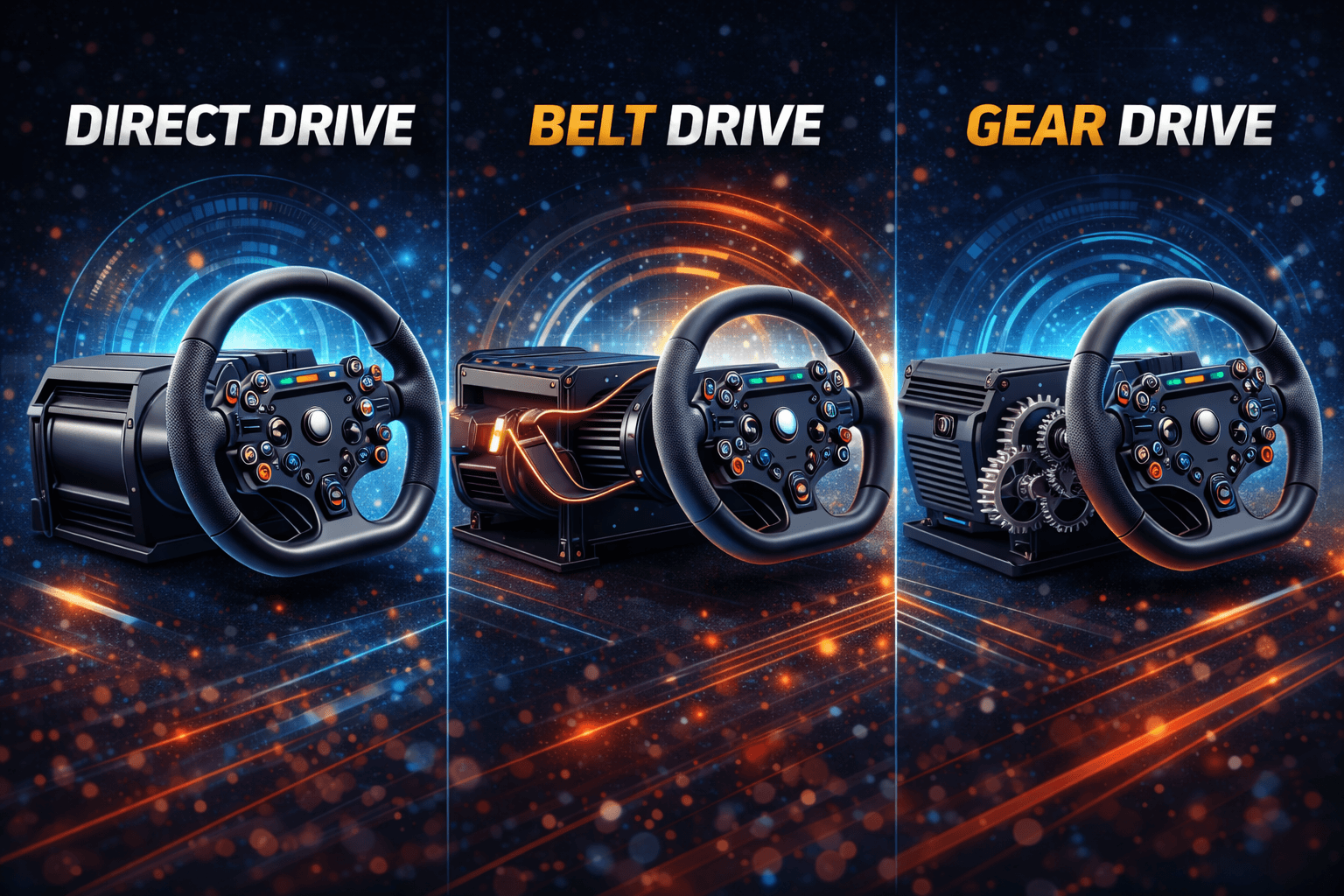
Want wheel advice? Read our direct drive vs belt drive guide.
Real User Setups (Case Studies)
Case Study 1: 10m² Bedroom (Student)
- Space: 10m² bedroom, shared house
- Solution: Playseat Challenge + Logitech G29
- Storage: Folds into closet (takes 1/3 of closet)
- Setup time: 90 seconds
- Cost: $650 total
- Performance: Reached 2300 iRating (competitive level)
- WAF: N/A (own room) but roommate-friendly
Case Study 2: Living Room (Apartment, Spouse)
- Space: Shared living room
- Solution: Playseat Challenge + Thrustmaster T300 + Meta Quest 3
- Storage: Behind couch when not in use
- Setup time: 2 minutes (unfold, don VR)
- Cost: $1,250 total
- WAF: Extremely high (completely hidden, wife approves)
- VR benefit: No screen needed (TV stays free for spouse)
Case Study 3: Bedroom Corner (12m²)
- Space: 12m² bedroom, dedicated corner
- Solution: GT Omega Apex + Moza R5 + 27" monitor
- Footprint: 145x58cm permanent (corner placement)
- Cost: $900 total
- Performance: Handles DD perfectly, comfortable 3+ hours
- Trade-off: Permanent fixture, but worth it for performance
Case Study 4: DIY Wall-Mount (15m² Office)
- Space: Home office (shared with work desk)
- Solution: Custom wall-mounted rig + T300 + swivel monitor
- Storage: Folds to wall (10cm projection)
- Setup time: 30 seconds (pull down)
- Cost: $800 total ($300 DIY build + $400 T300 + $100 monitor arm)
- Advantage: Doesn't interfere with office work, completely hidden
Budget Recommendations by Space Constraint
Tiny Space (8-10m²) - $650
- Playseat Challenge ($399)
- Logitech G29 ($250)
- Existing monitor/TV
- Total: $649
Get Challenge on Amazon and G29 here
Small Space (10-14m²) - $850
- Playseat Challenge ($399)
- Thrustmaster T300 ($400)
- Existing monitor
- Total: $849
- Upgrade: Belt-driven smoothness in foldable package
Shared Living Space - $1,200
- Playseat Challenge ($399)
- Moza R5 Bundle ($499)
- Meta Quest 3 ($500)
- Total: $1,398
- Advantage: VR = no monitor needed, maximum WAF
Dedicated Corner (12-16m²) - $1,000
- GT Omega Apex ($449)
- Moza R5 Bundle ($499)
- 27" monitor ($200)
- Total: $1,148
- Performance: Compact rigid platform, DD-capable
Pros & Cons of Space-Limited Setups
PROS:
✅ Forces smart component selection (no wasteful purchases)
✅ High WAF (foldable = spouse-friendly)
✅ Budget-friendly (smaller = cheaper usually)
✅ Move-friendly (foldable easy to relocate)
✅ Multi-purpose space maintained
✅ Surprisingly good performance (foldable handles mid-tier wheels)
CONS:
❌ Setup/packdown friction (reduces spontaneous sessions)
❌ Performance compromises (foldable limits high-torque DD)
❌ Storage management (closet space needed)
❌ Limited expandability (no shifter, handbrake, triples)
❌ Ergonomic compromises (less adjustability)
❌ Comfort limits (long sessions fatigue faster)
Final Recommendations
Best Overall Small-Space Setup
Playseat Challenge ($399) + Thrustmaster T300 ($400)
Best Performance in Small Space
GT Omega Apex ($449) + Moza R5 ($499)
- Compact rigid, direct drive capable
- Total: $948
- Requires dedicated corner
Best WAF/Shared Space
Playseat Challenge ($399) + Moza R5 ($499) + Meta Quest 3 ($500)
- Foldable, DD, VR (no monitor needed)
- Total: $1,398
- Completely disappears, maximum approval
Bottom Line
Small spaces don't mean compromising performance. The Playseat Challenge is shockingly good—I ran competitive iRacing on one for 18 months in a tiny bedroom. Unless you're running 15Nm+ DD or need motion, foldable setups work perfectly.
For ultimate space-saving: Wall-mounted DIY rig. For easiest solution: Playseat Challenge. For best performance in compact footprint: GT Omega Apex.
Ready to build? Start with Playseat Challenge on Amazon for best space-efficiency.
Once set up, optimize with our load cell pedals guide for next upgrade.
FAQ Section
Q: Can I actually race competitively on a foldable cockpit?
Absolutely yes—I reached 2400 iRating (top 10% of iRacing) on a Playseat Challenge. The cockpit isn't what limits your pace at intermediate levels; driver skill is. The Challenge is rigid enough for gear-driven (G29) and belt-driven (T300) wheels with zero performance penalty. You'll only hit limitations with high-torque direct drive (12Nm+), where some flex becomes noticeable. But for 90% of sim racers, a foldable cockpit performs identically to rigid options in actual lap time. The disadvantage isn't performance—it's the 2-minute setup/packdown friction that makes you less likely to hop in for quick 20-minute sessions. But if space is limited, that's a worthy trade-off.
Q: Will my spouse/roommate actually tolerate a sim rig in shared space?
WAF (Wife Acceptance Factor) is real, and foldable cockpits solve it. My apartment setup: Playseat Challenge that folded behind the couch in 2 minutes. When guests came over, the rig was invisible. The key is making it ACTUALLY disappear, not just "tucked in corner but still visible." Playseat Challenge folds completely flat—it's not furniture taking space, it's sports equipment you store (like a yoga mat or bicycle). Compare that to a rigid cockpit: permanent 1.5m² footprint that's always visible. Unless your partner is also into sim racing or you have a dedicated room, foldable is the only path to domestic harmony.
Q: Is VR worth it for small spaces, or should I stick with a monitor?
VR is a game-changer for small spaces. Here's why: With monitor: Need desk/stand for 27" screen (adds 60x60cm footprint), monitor stays visible even when not racing. With VR: Headset stores in drawer (zero footprint), screen disappears completely, more immersive. I switched to Meta Quest 3 and never looked back. Downsides: Initial motion sickness for some (adapt in 3-5 sessions), can't see keyboard/phone while racing, GPU demanding. My take: If space under 12m², VR is smart choice. Saves space, improves immersion, higher WAF.
Q: Can I build a DIY wall-mounted rig as a renter without damaging walls?
Yes, but with limitations. Damage-free options: (1) Tension-mount system (floor-to-ceiling pressure, no wall penetration), (2) Heavy-duty furniture straps (removable, rated for earthquake safety), (3) French cleats with drywall anchors (fill holes with spackle on move-out). Best renter-friendly solution: Tension-mount system with 2x4 frame that wedges floor-to-ceiling, cockpit hinges from that (zero wall damage, completely removable).
Q: What's the smallest possible footprint for a functional sim racing setup?
Absolute minimum (functional but not ideal): 80x60cm deployed. Requires: (1) Wall-mounted fold-down rig, (2) Compact DD wheel (Moza R5 USB), (3) 2-pedal setup, (4) VR headset, (5) Separate chair. Cost: $300 DIY + $500 Moza R5 + $500 VR = $1,300. Stored: 10cm projection from wall. Practical minimum: 115x52cm = Playseat Challenge. Stores in closet. Much easier than DIY wall mount, proven solution, $399 vs $1,300.