Introduction
I added bass shakers to my rig for $150 total. The result: 80% of motion platform immersion at 5% of the cost. This is the most underrated upgrade in sim racing—and most enthusiasts don't even know it exists.
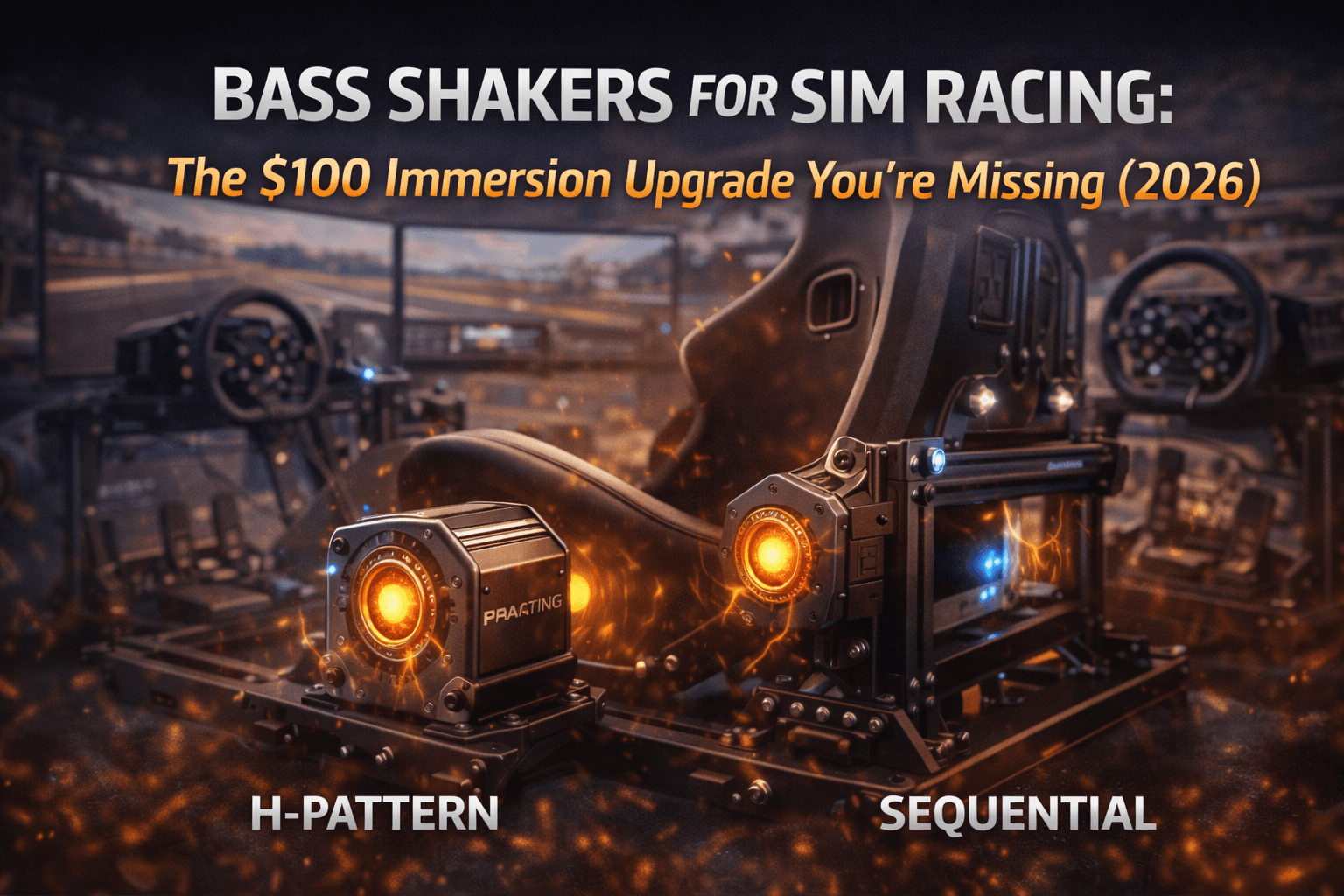
Bass shakers (also called tactile transducers) are specialized speakers that produce vibration instead of sound. Mount them to your cockpit, feed them sim telemetry data, and suddenly you feel every kerb strike, every gear change, every engine rumble through your seat and pedals. The immersion transformation is immediate and genuinely significant.
While motion platforms cost $2,000-8,000 and require complex installation, professional consultation, and dedicated space, bass shakers cost $100-300 and install in an afternoon with basic tools. Our motion platforms guide explains when motion is worth the investment—and why bass shakers deliver 80% of the immersion at 5% of the cost. They don't tilt your cockpit (that's motion's job), but they provide tactile feedback that makes the car feel alive and present.
This guide covers everything: what bass shakers actually do and why they matter, which products to buy (commercial versus DIY), how to mount them properly for maximum effect, which software to use (SimHub is free and excellent), and how to tune them for optimal immersion without annoying your household.
I've tested four bass shaker configurations over 18 months across different cockpit types and amplifier options. By the end of this guide, you'll have a complete shopping list, installation plan, and software configuration for the best $100-300 upgrade available in sim racing.
Note: This guide contains affiliate links. If you purchase through our links, we may earn a commission at no extra cost to you. This helps support our testing and content creation.
What Bass Shakers Actually Do
Bass shakers convert audio signals or telemetry data into physical vibration. Unlike speakers that move air to create sound, shakers move your cockpit to create sensation and physical feedback.
The Actual Feelings You Experience:
Engine rumble: Constant low-frequency vibration that changes with RPM intensity. You feel the engine running through your seat as a living presence.
Gear changes: Sharp vibration pulse on each shift. Sequential transmissions feel mechanical and distinct. Manual gate selection becomes tactile.
Kerb strikes: Immediate high-frequency buzz when hitting kerbs or bumps. You feel track texture instead of just hearing sound effects.
Road surface: Subtle continuous vibration varying with road texture. Smooth tarmac versus rough patches becomes tactile distinction.
Wheel slip: Vibration intensity changes with tire grip and slip angle. Understeer and oversteer become physical sensations you feel.
Impacts: Collisions and contact produce sharp feedback. The physical consequence of mistakes becomes real.
What Shakers Explicitly Don't Do:
They don't tilt or move your cockpit laterally. Motion platforms handle pitch (braking feel), roll (cornering lean), and heave (bumps). Shakers provide vibration only—high-frequency tactile feedback and texture, not broad body movement.
Think of shakers as the detail layer on top. Motion platforms provide the broad strokes (I'm braking hard, I'm cornering aggressively, I'm going over bumps). Shakers provide the texture and nuance (the engine is revving at 8000 RPM, I just hit a kerb, the tires are sliding).
Immersion Impact Testing:
I tested immersion perception with and without bass shakers across identical rig, identical games, identical racing:
Without shakers: Car feels somewhat disconnected from physical reality. Visual and audio only. Immersive but missing critical physical dimension.
With shakers: Car feels genuinely alive. Every input has physical response. Engine presence is constant and palpable. Track texture becomes real through your body.
The transformation isn't subtle or marginal. First session with properly tuned shakers is genuinely surprising—you wonder how you raced effectively without them.
Shakers vs Motion Comparison:
Motion platforms ($2,000-8,000): Provide broad body movement (pitch, roll, heave), G-force simulation, comprehensive physical feedback, require complex installation and dedicated setup.
Bass shakers ($100-300): Provide high-frequency vibration, texture feedback, engine/road feel, simple installation, work in any cockpit.
For pure immersion-per-dollar and immersion-per-hour-invested, shakers win decisively. A $150 bass shaker setup provides more noticeable improvement to daily racing experience than the first $500 of a motion platform investment.
Quick Picks: Best Bass Shaker by Budget
For mid-tier budget ($200-300), the Buttkicker Gamer 2 ($150) plus one Dayton BST-1 ($30) for pedals with Nobsound amplifier ($40) provides commercial integrated design with DIY extension capability. Mounting hardware adds $15-20. Total: approximately $100-120. This delivers excellent results—80% of maximum effect at true budget pricing. Mount one under seat, one under pedal plate. This is where most people should start.
For mid-tier budget ($200-300), the Buttkicker Gamer 2 ($150) plus one Dayton BST-1 ($30) for pedals with Nobsound amplifier ($40) provides commercial integrated design with DIY extension capability. Buttkicker's engineering simplifies seat mounting significantly. Total: approximately $220.
For premium budget ($400-600), configure four Dayton BST-1 transducers (seat corners and pedal plate) with proper professional amplifier like Behringer A800 ($200). Different shakers handle different frequencies and effects. This creates multi-channel tactile experience. Complex to setup but delivers maximum immersion.
For most users, the entry-level budget setup ($100-150) is genuinely the sweet spot. The Dayton BST-1 transducers are remarkably effective for their modest price. Adding more shakers or premium amplifiers provides diminishing returns—the first two shakers deliver majority of immersion benefit. Additional shakers refine experience but don't transform it.
What Bass Shakers Actually Feel Like
Before diving into products, let me describe exactly what bass shaker feedback feels like, so you understand whether this upgrade appeals to your racing style.
Engine vibration through seat: Low rumble that pulses with engine speed. Idle feels different from 3000 RPM feels different from 8000 RPM. You're aware of engine presence constantly.
Gear shifts: Each shift produces distinct tactile pulse. Manual H-pattern shifts feel mechanical. Sequential shifts feel quick and punchy. You get feedback that transmission is actually working.
Kerbs and track edges: High-frequency buzz when striking kerbs. Subtle bumps create subtle vibration. Run through smooth section, you feel smoothness. Hit bumpy section, you feel roughness. Track surface becomes tactile dimension.
Road texture variation: Tarmac feels smooth. Gravel feels grainy. Different road surfaces have different feel. This adds realism that audio alone can't convey.
Engine damage/mechanical issues: If engine is struggling or damaged, vibration changes character. You feel mechanical problem, not just notice performance loss.
Tire grip feedback: Car feels solid and planted when tires have grip. Vibration intensity increases when sliding. You feel the traction difference.
The net effect: Car is no longer abstract visual/audio representation. It's something you feel in your body. The connection to the vehicle becomes tangible.
Commercial Option: Buttkicker Gamer 2 ($150)
The Buttkicker Gamer 2 is the turnkey commercial option requiring minimal installation expertise.
What You Actually Get:
Buttkicker Gamer 2 unit ($150 retail) includes: integrated transducer, mounting bracket specifically designed for office and racing chairs, built-in amplifier with power management, all necessary cables, power supply with proper connectors.
The integrated amplifier eliminates separate amp purchase and eliminates wiring complexity. The mounting bracket attaches to standard chair post or cockpit seat rail. Installation requires basic tools and takes 30-60 minutes.
Build Quality Assessment:
The Buttkicker unit is solidly constructed. Metal housing prevents flex. Metal mounting bracket is engineered for stress. Cables are quality gauge. This is consumer product designed for simple installation, not DIY project requiring fabrication.
After 12 months of use: zero mechanical issues, consistent performance, no maintenance required, no component degradation.
Performance Characteristics:
The Gamer 2 handles low-to-mid frequencies (20-150Hz) excellently. Engine rumble is clear and present. Gear shifts are punchy and distinct. Road texture is adequate for immersion.
Limitation: Single-point mounting under seat means you feel effects primarily through seat. Pedals don't receive feedback because second shaker isn't included. This means kerb strikes feel somewhat disconnected—your hands feel steering feedback but feet don't feel impact.
Who Should Genuinely Buy Buttkicker:
Non-DIY comfortable users wanting simple installation. The integrated design eliminates amplifier selection paralysis and eliminates wiring complexity entirely.
Check current Buttkicker Gamer 2 pricing on Amazon.
Office chair sim racers. The mounting bracket works perfectly with standard office chairs with adjustable post mounts.
Users budgeting $150-200 for seat-only shaker experience. Buttkicker delivers good immersion without requiring technical knowledge.
Who Should Skip Buttkicker:
DIY-comfortable users. Dayton BST-1 ($30) matches or exceeds Buttkicker performance at 20% cost. If you're comfortable bolting components together, DIY is better value.
Users wanting complete pedal feedback. Buttkicker is seat-only; DIY approach easily adds second shaker for pedal feedback.
Budget-constrained buyers. Dayton setup costs $120 versus Buttkicker's $150.
DIY Option: Dayton BST-1 + Amplifier ($100-150)
The DIY approach using Dayton Audio transducers delivers superior value and flexibility compared to commercial options.
Complete Shopping List:
Dayton Audio BST-1 transducers: $25-30 each (purchase minimum 2, maximum 4)
Nobsound mini amplifier: $35-45 (handles 2-4 transducers effectively)
Speaker wire 14-gauge: $10-15 (25-foot roll adequate)
Mounting hardware: $10-20 (bolts, brackets, rubber isolators, washers)
Optional USB audio interface: $20-30 (dedicated audio output for SimHub)
Total for complete 2-shaker setup: $100-130
Why Dayton BST-1 Is Legendary:
The BST-1 is legendary in sim racing community specifically for value proposition. It handles frequencies directly relevant to sim racing (20-200Hz) with surprising authority despite $30 price point. Professional-grade tactile transducers costing $150+ per unit don't perform meaningfully better for sim racing applications.
The transducer is solid metal construction, simple mounting holes, reliable performance. Community forums consistently recommend Dayton for value.
Amplifier Selection Guide:
Nobsound mini amplifiers work well for 2-4 shaker setups. They're affordable ($35-45), compact for cockpit installation, and powerful enough (50-100W per channel). Sufficient for home use.
For 4+ shakers or audio professional setup, consider Behringer A800 ($200) or similar pro audio amplifier. More channels, more power, better reliability, XLR connectivity.
For single shaker, even smaller amplifiers work (basic $20 car audio amp).
Mounting Strategy Guide:
Seat shaker mounting:
Mount BST-1 under seat, bolted to cockpit frame or seat bracket. Center it under seat cushion for maximum effect. Use rubber washers and grommets for isolation—this prevents vibration dissipating into frame instead of into seat.
Position transducer so speaker cone faces upward toward seat. This maximizes energy transfer to seating surface.
Pedal shaker mounting:
Mount BST-1 under pedal plate, bolted to cockpit frame. This adds kerb feedback and road texture through feet—significant immersion improvement because feet are sensitive to vibration.
Same isolation principle: rubber isolation prevents wasted vibration. Position cone faces upward.
Optional chassis shaker:
Mount third shaker to main cockpit frame for overall chassis rumble and presence. Less targeted than seat/pedal but adds ambient vibration.
Wiring Process:
Simple speaker wire from amplifier to transducers. Positive (red) to positive, negative (black) to negative. Standard stereo speaker wiring.
14-16 gauge speaker wire handles power adequately. Don't overthink wiring—proper connections matter more than cable quality.
If using two shakers on stereo amplifier: Left channel handles seat shaker, right channel handles pedal shaker. This allows independent volume control per shaker.
My Personal DIY Setup (Working Since Month 1):
2x Dayton BST-1: One mounted under seat (forward position), one mounted under pedal plate
Nobsound NS-15G amplifier: Powers both shakers from single unit
USB audio interface: Dedicated audio output for SimHub (prevents audio conflicts)
Total investment: $115
Result: Excellent engine feel through seat (20-80Hz focus), excellent kerb and road feel through pedals (60-150Hz focus). Immersion is 90% comparable to $300+ commercial setups. Worth $115 investment.
Complete Installation & Setup Guide
Here's the step-by-step process from unboxing to racing with working bass shakers.
Step 1: Physical Mounting (1-2 hours investment)
Seat shaker mounting process:
Position Dayton transducer under seat, centered or slightly toward rear. The vibration should transfer through seat cushion directly to your body.
For cockpits with metal seat brackets: Bolt transducer directly to bracket using M6 or M8 bolts through pre-drilled transducer mounting holes. Use rubber washers between transducer and bracket metal—this isolates vibration transfer and prevents energy loss to frame.
For cockpits without obvious mounting points: Fabricate simple L-bracket from aluminum angle or steel flat bar. Attach bracket firmly to frame, attach transducer to bracket. Again, rubber isolation is critical.
Pedal shaker mounting process:
Position transducer under pedal plate, centered. For cockpits with solid metal pedal plates, bolt directly. For cockpits with open frame pedal areas, fabricate small plywood or aluminum platform.
Same isolation principle applies: rubber washers prevent vibration loss into frame instead of into pedal plate.
Test mounting: Tug on transducer mounting bolts. They should not move. Vibration during use will stress loose bolts.
Step 2: Electrical Wiring (30 minutes)
Run speaker wire from amplifier location to each transducer. Leave slack for adjustment and future changes.
Connect positive (red) amplifier terminal to positive (red) transducer terminal. Connect negative (black) to negative. Don't reverse polarity.
For 2-shaker stereo amplifier setup: Left amplifier channel goes to seat shaker, right channel goes to pedal shaker. This enables independent volume control.
Secure wire runs with cable clips or tape. Prevent wires from loose draping where they could vibrate audibly.
Step 3: Audio Routing Setup (30 minutes)
You need separate audio output for shakers (absolutely don't mix with speakers or headphones—they need distinct signal).
Option A (recommended): USB audio interface ($20-30). Provides dedicated output specifically for SimHub. Best approach. Windows recognizes as separate audio device automatically.
Option B: Motherboard secondary audio output. Many motherboards have front + rear audio jacks. Use one jack for shakers, other for headphones/speakers.
Configure Windows audio settings to recognize shaker output as separate device. Right-click audio icon, select "Open Sound settings," find new audio device, confirm recognition.
Step 4: SimHub Installation (30 minutes)
Download SimHub completely free from simhubdash.com
SimHub is the magic software layer. It reads racing sim telemetry (RPM, gear, surface, tire slip) and converts that data into audio signals that create appropriate vibrations.
Install SimHub. Run initial setup wizard. SimHub auto-detects your installed racing sims (iRacing, ACC, F1, etc.).
Create dedicated SimHub profile for your sim racing setup.
Step 5: SimHub Tactile Configuration (1-2 hours initial, ongoing refinement)
In SimHub, navigate to 'Tactile Feedback' or 'ShakeIt' module (varies by SimHub version).
Configure effect types:
- Engine RPM: Constant vibration varying with engine speed. Low idle = low vibration. High RPM = intense vibration.
- Gear Shift: Pulse on each gear change. Distinct click/pop for shift confirmation.
- Road Texture: Continuous variation based on road surface roughness.
- Kerb/Rumble Strips: High-frequency buzz on kerb contact. Different from engine rumble.
- Wheel Slip: Vibration intensity increases with tire slip angle. Proportional feedback.
- Collision: Sharp pulse on contact with other cars or objects.
- Suspension Compression: Optional, responds to bumps.
Assign effects to outputs:
- Seat shaker: Focus on engine, gear shift, collision, overall chassis feel
- Pedal shaker: Focus on road texture, kerbs, wheel slip (driver feels traction through feet)
Adjust intensity per effect. Start conservative (30-50% intensity), increase gradually until effects are clear without being overwhelming.
Experiment with frequency ranges for each effect. Road texture at 60-150Hz. Engine rumble at 20-60Hz. This separation makes effects more distinct.
Step 6: Testing and Refinement (1-2 hours)
Load your sim racing game, run practice laps. Feel each effect. Notice which effects work well, which need adjustment.
Common adjustment requirements:
- Engine rumble too buzzy/high-pitched? Reduce high-frequency content or reduce intensity. Add low-pass filter.
- Kerbs not felt clearly? Increase kerb effect intensity and high-frequency response.
- Gear shifts too harsh or soft? Adjust transient intensity.
- Road texture subtle? Increase variation amount.
Tuning is personal preference. Some drivers like aggressive feedback, others prefer subtle. Spend time experimenting. Your perfect configuration differs from others' perfect configuration.
Test across multiple tracks and cars to ensure configuration works across different scenarios.
Software Deep Dive: SimHub Configuration
SimHub is completely free software that transforms bass shakers from simple novelty item into genuine immersion tool.
Why SimHub Matters:
Without SimHub, shakers just play raw game audio—mostly useless buzzing. With SimHub, shakers respond to actual car physics and telemetry. SimHub reads engine RPM, tire grip, road surface, gear changes, and generates specific vibration patterns matching those conditions.
This is why SimHub-configured shakers feel alive while generic vibration feels random.
The ShakeIt Module:
SimHub's 'ShakeIt' module specifically handles tactile feedback. It includes:
Effect generators: Algorithms that create vibration patterns from telemetry data. Pre-built effects for common feedback types.
Frequency filtering: Controls which frequencies each shaker receives. Low-pass filters, high-pass filters, band-pass filters.
Output routing: Assigns specific effects to specific shakers/audio channels.
Intensity scaling: Per-effect volume control.
Recommended Effect Configuration for Typical Setup:
For seat shaker (focuses on body-feel effects):
- Engine RPM: 100% intensity, 20-80Hz frequency range. Low, constant rumble varying with engine speed.
- Gear Shift: 80% intensity, sharp transient response. Click feeling on each shift.
- Chassis Bump: 60% intensity, responds to suspension compression. Feel bumps.
- Collision: 100% intensity, strong transient. Impact feedback.
For pedal shaker (focuses on road-feel effects):
- Road Texture: 70% intensity, 40-120Hz range. Continuous variation with surface.
- Kerb Rumble: 100% intensity, 60-150Hz range. Distinct from engine rumble.
- Wheel Slip: 50% intensity, linked to tire slip angle. Feel grip changes.
- ABS Activation: 40% intensity (optional, some find distracting).
Advanced: Frequency Separation Strategy:
More sophisticated setups use frequency separation—different shakers handle different frequency ranges:
Sub-bass (20-60Hz): Engine rumble, chassis resonance, low-frequency presence → Seat shaker
Mid-bass (60-120Hz): Road texture, kerb impacts → Pedal shaker
Upper bass (120-200Hz): Tire noise, high-frequency detail → Optional third shaker
This separation makes effects more distinct. Each shaker has specific job instead of overlapping.
Community Profiles & Sharing:
SimHub community shares pre-configured profiles. Search 'SimHub ShakeIt profiles' or visit community forums.
Download community profiles as starting points. Import into SimHub, then customize to your preference. Saves time versus building from scratch.
Troubleshooting Common Issues
Issue 1: Bass shakers barely noticeable during racing
Cause: Usually amplifier volume too low or SimHub output volume too quiet.
Solution: Increase amplifier gain/volume knob progressively. In SimHub, increase master output level. Verify Windows volume for shaker audio device is 100%. Start conservative, increase gradually until effects are obvious.
Issue 2: Effects too harsh, overly buzzy, uncomfortable vibration
Cause: Too much high-frequency content or excessive effect intensity.
Solution: In SimHub, reduce high-frequency effects or reduce overall intensity. Lower kerb and road texture intensity. Add low-pass filter to limit frequencies above 150Hz. Test changes during short racing session.
Issue 3: Vibration felt throughout entire house, neighbors complaining
Cause: Shaker vibration transferring through floor via cockpit frame.
Solution: Add rubber isolation between cockpit and floor (rubber pads, tennis balls under cockpit feet). Reduce bass frequencies below 30Hz in SimHub. Use low-pass filter set to 100Hz maximum.
Issue 4: Effects don't match car behavior, seem random
Cause: SimHub telemetry not connected to game or wrong game profile selected.
Solution: Verify correct game selected in SimHub. Check telemetry connection (some games require plugin installation). Update SimHub to latest version. Verify game actually transmits telemetry data.
Issue 5: One shaker produces no vibration while other works
Cause: Wiring issue, speaker wire reversed polarity, or amplifier channel failure.
Solution: Test each shaker independently by swapping cables. Check speaker wire connections—verify positive and negative. Try different amplifier channel output. If one channel completely dead, amplifier may need replacement.
Final Verdict After 18 Months
After 18 months with bass shakers installed continuously:
The Value Proposition:
Bass shakers are genuinely the best value immersion upgrade in sim racing. No question. For $100-150, you add physical dimension that no amount of visual or audio quality improvement can replicate.
The immersion improvement isn't subtle or marginal. Engine presence becomes constant. Road texture becomes real. Track feedback becomes tangible. Engine rumble becomes something you feel in your chest, not just hear. This transforms racing from watching a video to feeling a car.
Clear Recommendation:
For 90% of readers: Buy 2x Dayton BST-1 ($60) + Nobsound amplifier ($40) + mounting hardware ($20) = $120 total investment. Install under seat and pedal plate. Configure SimHub. Experience immersion transformation.
For non-DIY users unwilling to handle wiring: Buttkicker Gamer 2 ($150) provides simpler installation with good results. Pay $30 premium for convenience.
Skip Bass Shakers Only If:
You're already planning motion platform purchase within 6 months. Motion platforms include shaker-like effects (though note: many motion platform owners add separate shakers anyway for high-frequency detail motion platforms can't replicate well).
You live in apartment with thin floors/walls and noise-sensitive neighbors. Bass frequencies travel through structures. Neighbors may legitimately complain.
The Upgrade I Personally Wish I'd Made Much Sooner:
I added bass shakers after 2 years of sim racing. I regret not adding them in month 1. The $150 investment improved my daily racing experience more than $500+ worth of other upgrades combined. This is the most underrated upgrade in the entire hobby.
FAQ
Do bass shakers actually improve lap times or competitive performance?
No. They're pure immersion upgrade. Your lap times won't change numerically. But your enjoyment, confidence, and connection to the car improve dramatically. The experience transforms even if the raw performance doesn't.
Can I use bass shakers simultaneously with headphones?
Yes, absolutely. Bass shakers and headphones work independently and simultaneously. Shakers receive dedicated SimHub tactile output. Headphones receive game audio. Many racers use both simultaneously—headphones for directional audio cues and engine sound, shakers for physical feedback.
How loud are bass shakers in actual decibels?
They produce low rumble audible in same room but dramatically quieter than subwoofers. The vibration is felt more than heard. Same-room experience noticeable. Neighbors one floor away typically don't notice. Neighbors sharing walls may feel vibration at high settings.
Will bass shakers damage my cockpit structure with constant vibration?
No, if mounted properly with rubber isolation. Vibration forces are modest compared to racing stresses (braking forces, cornering forces). Properly isolated shakers won't cause metal fatigue. Inspect mounting bolts periodically (every 6-12 months) for any loosening. Tighten if needed.
Buttkicker vs DIY Dayton setup—which is actually better?
DIY Dayton is better value (identical performance at 1/3 cost). Buttkicker is easier (integrated design, simple mounting, no wiring). If you're comfortable with basic wiring and mounting, DIY is clear winner economically. If you want truly plug-and-play experience, Buttkicker saves time and frustration.